
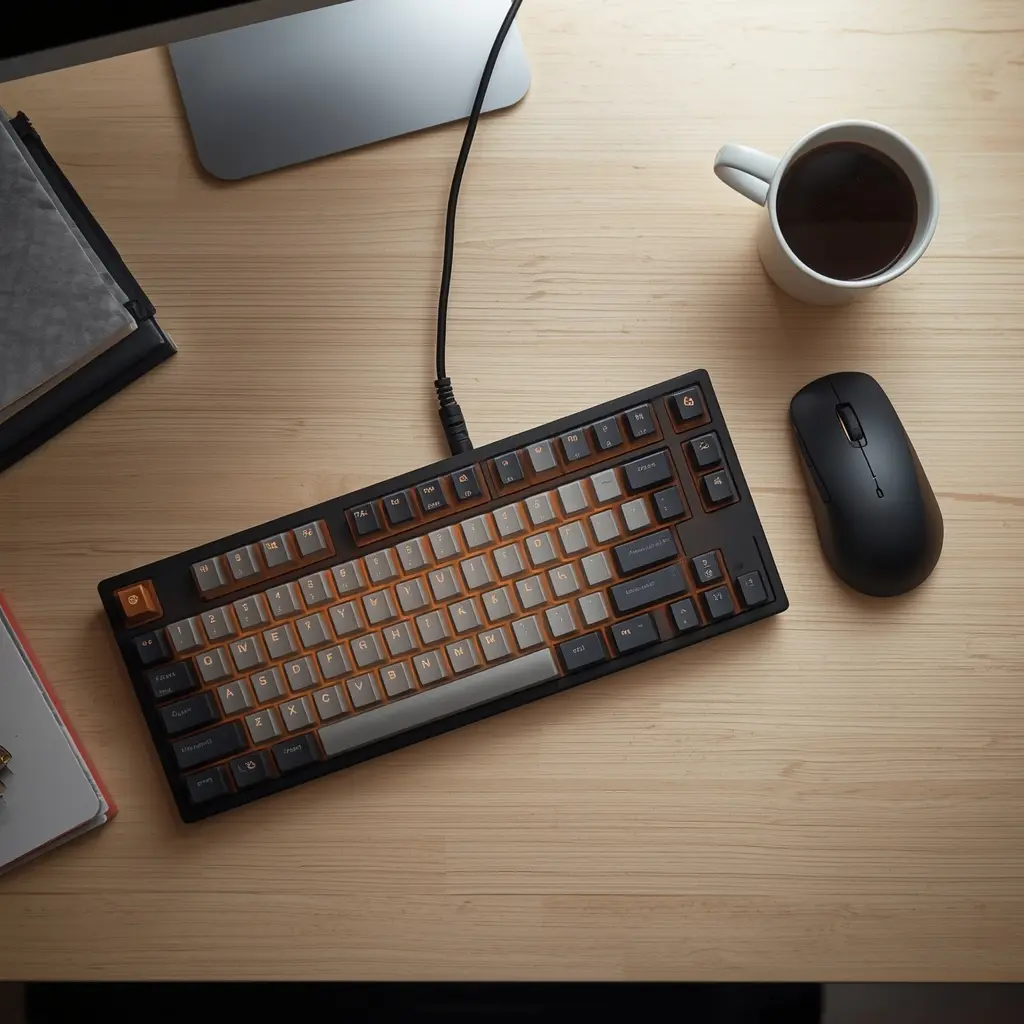
Keychron K2 Review
In the digital era, your keyboard is more than just a peripheral—it is the primary interface through which you create, communicate, and build your digital empire. Whether you are a remote software engineer writing thousands of lines of code daily, a content strategist drafting high-converting copy, or a digital nomad managing enterprise workflows, the tactile instrument beneath your fingertips dictates your speed, comfort, and physical endurance. Standard membrane keyboards often feel mushy, lack responsiveness, and contribute heavily to finger fatigue during extended work sessions.
Transitioning to a high-end mechanical keyboard transforms the physical typing experience into a rhythmic, highly efficient endeavor. Among the vast array of options available in the market, one compact powerhouse stands out as the ultimate choice for professionals seeking a balance of versatility, build quality, and ergonomic precision: the Keychron K2 Wireless Mechanical Keyboard.
This comprehensive review explores why the Keychron K2 reigns supreme for productivity, breaking down its exceptional engineering, hot-swappable versatility, and why it is an essential addition to any modern workspace.
The Evolution of Typing Ergonomics: Why Mechanical Switches Matter
For decades, office environments settled for cheap, low-profile membrane keyboards that offer zero tactile feedback. Over time, the lack of actuation resistance forces users to bottom out their keystrokes aggressively, placing repetitive strain on the tendons in the fingers, wrists, and forearms.
Executive Deep-Dive
Scaling Beyond Traffic to Revenue
Most enterprises fail because they chase clicks instead of trust. While building your global presence, ensure your EEAT 3.0 signals are synchronized across all regions.
Recommended for you:
→ The Shift from Traffic to Trust: A New KPI for Enterprise SEOMechanical keyboards revolutionize this dynamic by utilizing individual mechanical switches for every single key. These switches provide distinct actuation points and satisfying tactile feedback, allowing your fingers to bounce effortlessly across the layout. By reducing the physical force required to register a keystroke, mechanical keyboards significantly mitigate repetitive strain injuries (RSI) and keep your hands comfortable during marathon working sessions.
Furthermore, the acoustic and tactile feedback helps maintain a consistent flow state, reducing typos and keeping your mental focus sharp.
Key Specifications at a Glance
-
Brand: Keychron
-
Model: K2 Wireless Mechanical
-
Material: Aluminum Frame & ABS Keycaps
-
Key Features / Compatibility: Hot-Swappable / Windows & Mac OS Dual Compatibility
-
Dimensions / Weight: Compact 75% Layout / 663g
Design and Build Quality: Premium Materials Meet Space-Saving Layout
When selecting a keyboard for a professional setup, desk footprint and structural integrity are paramount. Full-sized keyboards force your mouse further away, straining your shoulder, while ultra-minimalist 60% layouts sacrifice essential productivity keys like arrow keys and function rows.
-
The Ideal 75% Compact Layout: The Keychron K2 strikes the absolute sweet spot with its 84-key 75% layout. It retains dedicated arrow keys, a complete row of function keys, and navigation clusters while shrinking the overall physical footprint to save valuable desk space for your mouse and writing pad.
-
Robust Aluminum Frame: Built with a sturdy aluminum frame side-skirt paired with durable textured ABS keycaps, the K2 projects a sleek, executive look that elevates any desktop aesthetic. Weighing a solid 633 grams, it sits firmly on your desk without sliding or flexing during intense typing sessions.
Hot-Swappable Versatility and Switch Options
One of the standout features of the Keychron K2 is its hot-swappable PCB variant. This engineering choice empowers users to change mechanical switches in seconds without soldering.
-
Tailored Tactility: Whether you prefer the clicky feedback of Blue switches for writing, the smooth linear feel of Red switches for quiet speed, or the tactile bump of Brown switches for balanced office use, you can easily swap them out to match your exact typing preference.
-
Future-Proofing Your Gear: If a switch wears out over time or you simply want to experiment with different typing weights and acoustics, popping in a brand-new set of switches takes less than five minutes.
Cross-Platform Compatibility and Wireless Freedom
Modern remote professionals often juggle multiple devices—transitioning seamlessly between a MacBook for creative work, a Windows PC for data analysis, and a tablet for quick reviews.
-
Universal OS Switching: The Keychron K2 features a physical toggle switch on the side allowing instant transition between Mac and Windows operating systems. It comes with dedicated keycaps for both layouts right out of the box, ensuring every shortcut feels natural.
-
Reliable Dual Connectivity: Connect up to three devices simultaneously via stable Bluetooth 5.1 and switch between them effortlessly. For high-stakes competitive tasks or zero-latency coding, you can plug in the included braided USB Type-C cable for a reliable wired connection while simultaneously fast-charging the internal battery.
Battery Life and Daily Productivity Endurance
Wireless peripherals are only as good as their power management. Despite its compact profile and vibrant backlighting, the Keychron K2 is engineered for exceptional energy efficiency.
-
Massive Battery Capacity: Equipped with a 4000mAh rechargeable battery—one of the largest in mechanical keyboards of this size—the K2 delivers up to 72 hours of continuous typing with backlighting enabled, or up to several weeks with the backlight turned off.
-
Ergonomic Typing Angle: The bottom frame features an inclined rubber foot design that elevates the keyboard at a natural 9-degree angle, reducing wrist fatigue and promoting proper ergonomic alignment throughout long workdays.
Pros and Cons for Remote Professionals
Pros:
-
Space-saving 75% compact layout retaining dedicated arrow and function keys
-
Hot-swappable switch design for effortless customization without soldering
-
Seamless dual-compatibility for both Mac and Windows operating systems
-
Robust aluminum frame construction weighing a stable 663g
-
Exceptional battery life supporting up to 72+ hours of wireless work
Cons:
-
Slightly taller profile compared to low-profile membrane keyboards (though easily mitigated with a wrist rest)
-
Heavier weight than plastic-only travel keyboards, though ideal for a stable stationary desk setup
Final Verdict: Is It Worth the Investment?
For developers, writers, and digital entrepreneurs, your keyboard is your primary tool of creation. Upgrading to a professional-grade mechanical keyboard like the Keychron K2 transforms your daily typing experience, reduces physical strain, and boosts overall productivity through superior tactile feedback and wireless flexibility.
Ready to upgrade your workspace typing experience and eliminate finger fatigue for good? Check out the best current pricing and secure yours here:
Get the Keychron K2 Wireless Mechanical Keyboard on Amazon
Last Updated on 5 days ago by dudung
Exclusive Early Access: Q1 2026
The Global SEO Blueprint for C-Suite
We are finalizing an exclusive strategic framework for global enterprise scaling. Join the elite waitlist for early-bird pricing.
Secure Your Priority Spot