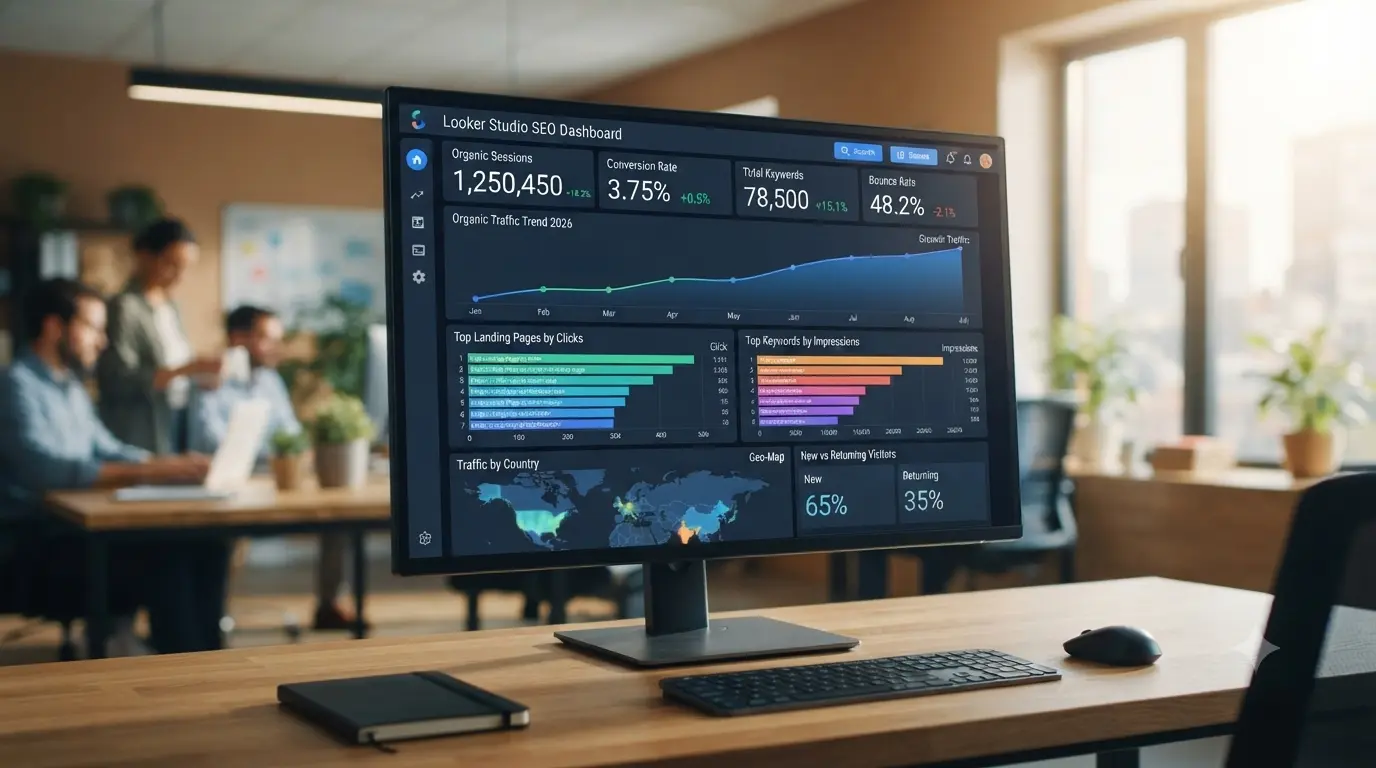
Looker Studio SEO Dashboard Templates: The Ultimate Guide to Automating Your Analytics

Looker Studio SEO Dashboard Templates

In the contemporary realm of digital marketing, data-driven decision-making is the cornerstone of success. However, staring at raw Google Analytics or Search Console numbers does little to inspire confidence or action. For enterprise SEO specialists, agencies, and in-house marketers, utilizing professional Looker Studio SEO dashboard templates is essential. This comprehensive guide explores how to design, customize, and deploy dynamic SEO reporting dashboards that align with Google’s E-E-A-T (Experience, Expertise, Authoritativeness, and Trustworthiness) standards while maximizing your AdSense monetization potential.

[dms-category-hub]

Why Looker Studio is the Standard for SEO Reporting

Gone are the days of manually exporting CSV files and compiling tedious monthly PDF reports. Looker Studio (formerly Google Data Studio) allows marketers to connect seamlessly with diverse data sources—including Google Search Console, Google Analytics 4, Ahrefs, and BigQuery—to build live, interactive visualization layers.

The Shift from Static Data to Dynamic Insights

Static reports only show what happened in the past. Dynamic dashboards built on robust templates allow stakeholders to filter by date ranges, specific landing pages, and country-level performance instantly. This level of transparency reinforces your agency’s professional authority and technical competence.

[adsense-conversion-winner]

Core Components of a High-Performing SEO Dashboard

When selecting or building your dashboard template, you must ensure it answers the most critical business questions immediately. A world-class SEO reporting framework typically incorporates the following modular sections:

1. Executive Summary & High-Level KPIs

The top section should provide a snapshot of organic visibility. Track metrics like total organic clicks, total impressions, average click-through rate (CTR), and average keyword ranking position over a rolling 28-day or 3-month window.

2. Traffic Quality & Behavior Flow

Combine Search Console data with GA4 parameters to see which pages are not just getting clicks, but are also engaging users (measuring bounce rates, engagement time, and conversion actions).

3. Keyword and Query Performance Analysis

Monitor your winning queries and identify “striking distance” keywords ranking between positions 4 and 20. These represent your fastest optimization opportunities.

[post_middle_engagement]

E-E-A-T and Data Accountability in Reporting

Google’s E-E-A-T framework isn’t solely applied to consumer-facing content—it heavily influences how clients and peers evaluate your digital marketing proficiency. Presenting erratic or poorly visualized analytics destroys credibility. By leveraging clean, error-free Looker Studio templates, you demonstrate absolute precision, methodical expertise, and trustworthiness in handling enterprise data assets.

Optimizing Dashboards for AdSense and Commercial Value

For niche authority sites focusing on programmatic SEO and revenue generation through platforms like AdSense, a well-structured performance tracking layout ensures you understand which content verticals drive high-value RPMs. When you know which pages capture high-intent traffic, you can double down on those content clusters.

Best Practices for Template Customization:

  • Keep Visuals Clean: Limit color palettes to professional, muted tones that do not distract from the data trends.

  • Logical Flow: Group data from general domain health down to granular keyword performance.

  • Automated Sharing: Schedule automated weekly email deliveries to keep stakeholders aligned without manual intervention.

[inlink-tag]

Implementation Steps for Migrated Content

Transitioning your archival tag URLs into structured content posts requires maintaining structural integrity. Once this template guide is published under the clean slug looker-studio-seo-dashboard-templates, ensure you implement an immediate 301 redirect from the old tag path to preserve your search equity.

Conclusion

Utilizing professional Looker Studio SEO dashboard templates transforms how you interpret and present organic search data. By eliminating manual friction and embracing high-integrity visual reporting, you elevate your brand’s E-E-A-T profile and build a scalable foundation for long-term traffic analysis and commercial growth.

[post_bottom_conversion] [fast-index-hook]
Catatan Eksekusi:

Looker vs NetSuite Data: Architecting the Modern Data Stack for the $1M/Month Milestone

dms global
Looker vs NetSuite

For a global enterprise scaling toward a $1M per month revenue milestone by 2030, data is no longer just a byproduct of operations—it is the fuel for strategic maneuverability. As a CEO or CFO, the challenge isn’t just seeing your numbers; it’s trust in the Single Source of Truth. When different departments present conflicting revenue figures, you aren’t leading; you are mediating a data crisis.

If your organization is anchored in Oracle NetSuite, you face a critical architectural crossroads: Should you rely on the native NetSuite SuiteAnalytics, or should you transition to a modern, governed data platform like Google Cloud Looker?

This guide provides the urgent, technical, and strategic clarity required by C-level executives to build a data foundation that supports a 2M per month potential.

The Strategic Divide: Embedded Reporting vs. Governed Data Modeling

To lead effectively, executives must distinguish between “Viewing Data” and “Governing Insight.”

Oracle NetSuite SuiteAnalytics is an embedded reporting tool. it is designed for real-time visibility into the ERP’s own tables. It is excellent for operational checks and standard financial reports. It is the “Internal Ledger” of your business.

Google Cloud Looker is a modern Enterprise BI and data modeling platform. It doesn’t just visualize data; it defines it. Through its unique modeling language (LookML), Looker ensures that “Revenue” or “Churn” is defined exactly the same way across every dashboard in your company. It is the “Governed Intelligence” of your business.

1. The Power of a Unified Semantic Layer

In a complex global enterprise, the definition of a “Customer” or “Net Profit” can vary between sales and finance.

  • Looker’s Mastery: Looker’s “Semantic Layer” (LookML) is its crown jewel. Instead of every analyst writing their own SQL queries (which leads to errors), you define your business logic once in the code. Every user, from the CEO to the SEO Specialist, then pulls from that same logic. This eliminates the “Data Silo” risk that often derails the 1M/month milestone.

  • NetSuite Native: SuiteAnalytics allows you to build workbooks and pivots easily. However, the logic is often “trapped” within each specific report. If you change a calculation, you may need to update dozens of separate reports manually, creating a high risk of inconsistency.

2. Multi-Source Integration and Data Gravity

To reach high-ticket revenue goals, you need to see the “Full Picture”—which often lives outside your ERP.

  • The Modern Data Stack: Looker is designed to live on top of a data warehouse like BigQuery or Snowflake. You can funnel your NetSuite data, HubSpot CRM data, and Google Analytics data into one warehouse, and then use Looker to analyze them as one cohesive unit. For a CEO, this means seeing how your Organic Performance directly impacts your cash flow in real-time.

  • NetSuite Native: NetSuite is brilliant at analyzing ERP data. But if you want to see how your website’s SEO health correlates with your NetSuite inventory levels, you face a significant technical hurdle in bringing that external data into the SuiteAnalytics interface.

3. Real-Time Action vs. Periodic Reporting

In the race for global dominance, speed is a weapon.

  • Looker’s Action Hub: Looker doesn’t just show you data; it allows you to act on it. You can set up “Alerts” that automatically trigger an email to a vendor or a Slack message to the sales team when a specific KPI hits a threshold. It transitions the C-suite from “Reactive Reporting” to “Proactive Orchestration.”

  • NetSuite Native: NetSuite provides excellent real-time dashboards for operational tasks (e.g., “Invoices to be paid”). However, for deep, exploratory analysis of long-term trends and cross-functional correlations, it often lacks the high-velocity analytical engine that a warehouse-backed Looker instance provides.

4. Technical Integration: The “Data Silk Road”

For a CIO, the priority is “Data Sovereignty.” Does adding Looker create more complexity?

  • The Integration Strategy: Most enterprises use a connector (like Fivetran or Stitch) to replicate NetSuite data into a cloud warehouse, which Looker then queries directly. This keeps your NetSuite ERP fast and lean while giving Looker unlimited power to crunch massive datasets without affecting ERP performance.

  • The ROI: NetSuite remains the “System of Record” (The Past), while Looker becomes the “System of Truth” (The Future).

Strategic Verdict: Which Engine Drives Your Vision?

Choose NetSuite SuiteAnalytics if:

  • Your analytical needs are 100% focused on data already inside NetSuite.

  • You want a single-vendor cloud ecosystem with minimal IT overhead.

  • You prefer a unified suite for a lower total cost of ownership (TCO) at the mid-market level.

Choose Looker + NetSuite if:

  • You are a complex global enterprise with data spread across multiple platforms (CRM, Web, Marketing).

  • You require a “Governed Semantic Layer” to ensure every department uses the same metrics.

  • You want to empower your C-level team with AI-ready, self-service analytics to drive the 2030 vision.

Conclusion for DMS Global

In the pursuit of global digital dominance, your data infrastructure must be as agile as your organic performance strategy. For the C-level visionary, the decision isn’t just about “Charts”—it’s about Governance and Scale. By integrating Looker’s governed modeling with NetSuite’s operational power, you create a foundation that is audit-ready, visionary, and built for the elite tiers of the global market.


Related Keywords (Tags)

Looker vs NetSuite Data, Enterprise Data Governance, NetSuite BI Integration, Modern Data Stack for CEO, Google Cloud Looker for ERP