Logitech Master Combo Review
In the fast-paced world of remote work, digital entrepreneurship, and distributed enterprise management, your digital tools are the direct extension of your mind. Whether you are writing thousands of lines of code, managing complex project pipelines, or crafting high-converting copy, the physical interface between you and your computer dictates your speed, accuracy, and endurance. While many professionals invest heavily in powerful laptops and high-resolution monitors, they often overlook the most critical direct point of contact: their mouse and keyboard setup. Standard peripherals frequently cause wrist strain, suffer from sluggish wireless connectivity, and lack the multi-device versatility required by modern remote workflows.
Upgrading to an elite productivity ecosystem is the definitive way to streamline your daily operations and eliminate micro-frustrations. Among the premier options available in the global hardware market, one legendary bundle consistently stands out for professionals seeking absolute precision and cross-computer control: the Logitech Master Productivity Combo.
This comprehensive review explores why the Logitech Master Combo leads the industry, breaking down its cross-computer control features, ergonomic textured design, and why it is an essential foundation for any high-performance home office.
The Evolution of Modern Input Devices: Why Hardware Synergy Matters
For years, computer peripherals were treated as isolated accessories. You would buy a mouse from one brand and a keyboard from another, leading to mismatched software drivers, different battery management apps, and fragmented control schemes. Modern productivity demands a unified ecosystem where hardware communicates seamlessly across operating systems and multiple screens.
A truly elite productivity combo must deliver three core pillars: flawless ergonomic support to prevent repetitive strain injuries, instantaneous multi-device switching, and customizability tailored to your specific software shortcuts. Cheap plastic mice and membrane keyboards fail under intensive enterprise use because they lack tactile feedback, precision tracking, and advanced connectivity. The Logitech Master Productivity Combo was meticulously engineered to conquer these exact challenges.
Key Specifications at / a Glance
-
Brand: Logitech
-
Model: Master Productivity Combo
-
Material: Premium Textured Rubber Grips & Durable High-Grade Plastic
-
Key Features / Compatibility: Logitech Flow Cross-Computer Control / Dual USB Logi Bolt & Bluetooth Connectivity
-
Dimensions / Weight: Ergonomic Form Factor / 200g (Combined core lightweight portability)
Design and Build Quality: Ergonomics Meets Premium Tactile Comfort
When investing in peripherals that your hands will interact with for eight to ten hours a day, material quality and physical contours dictate long-term comfort and health. Logitech constructs the Master Combo using premium textured rubber surfaces and resilient matte plastics designed to withstand years of rigorous professional use.
-
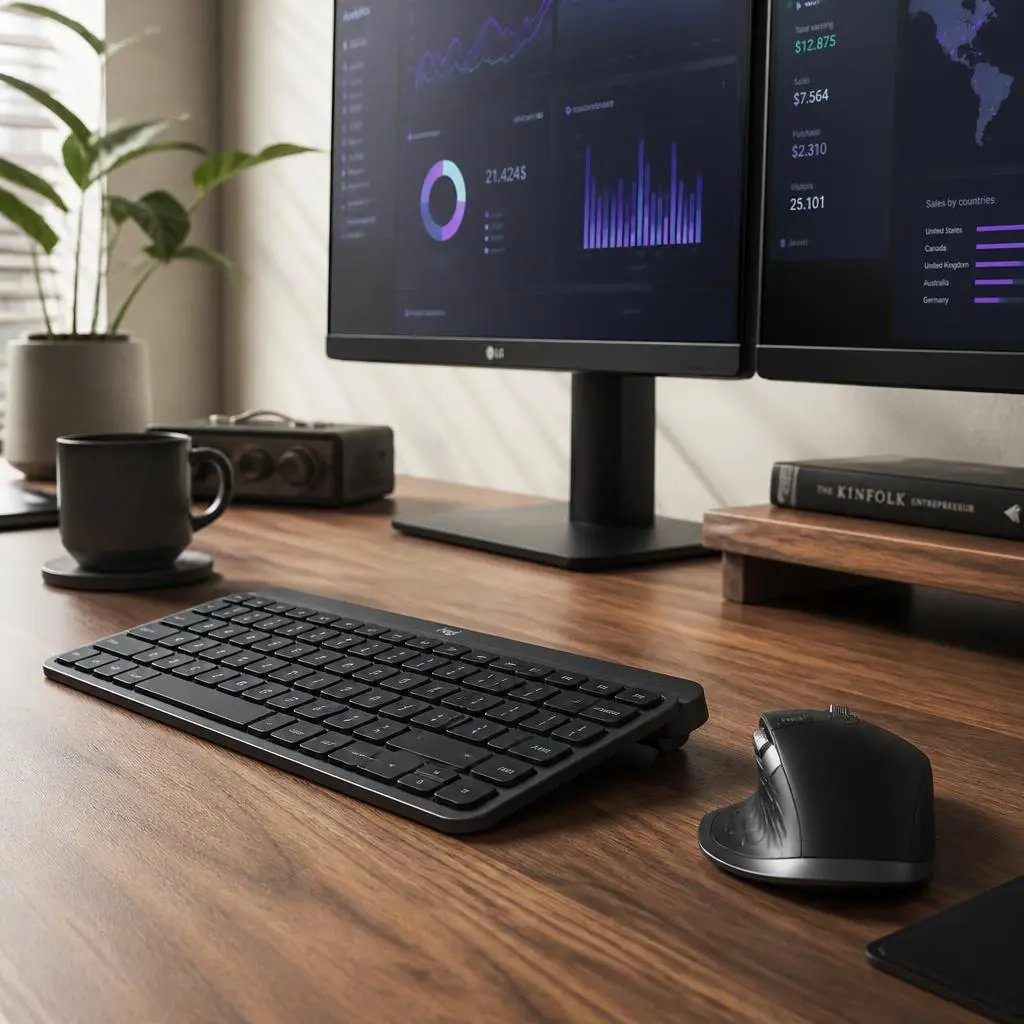
Sculpted Ergonomic Profiles: The mouse features a precision-crafted silhouette designed to support your palm and thumb in a natural posture, reducing muscle tension in the forearm. The keyboard incorporates smart key dishing that matches the shape of your fingertips, ensuring smooth, low-profile tactile typing.
-
Textured Rubber Stability: The high-grip rubber side panels and feet prevent slipping during fast-paced movements, ensuring that your tools remain rock-solid on your desk surface.
Advanced Connectivity and Logitech Flow Technology
At the heart of the Master Combo’s exceptional utility is its groundbreaking connectivity suite, tailored to eliminate the friction of working across multiple screens or operating systems.
-
Logitech Flow Cross-Computer Control: This revolutionary feature allows you to seamlessly cursor between two or even three computers (such as a MacBook for creative work and a Windows PC for data analysis), and even copy-paste text, images, and files from one screen to the other as if they were a single workstation.
-
Dual Wireless Connectivity: Connect instantly via reliable Bluetooth Low Energy or the ultra-secure Logi Bolt USB receiver, ensuring a rock-solid, lag-free connection even in dense wireless environments.
-
Easy-Switch Technology: With dedicated physical buttons, you can toggle your connection between multiple paired devices with a single tap, keeping your workflow fluid and uninterrupted.
Health and Productivity Benefits for Remote Professionals
Optimizing your physical input devices directly impacts your cognitive endurance and daily execution speed. By reducing the physical effort required to click, scroll, and type, the Master Combo preserves your energy for high-level creative and analytical problem-solving.
-
Combating Physical Fatigue: The ergonomic sculpting encourages neutral hand and wrist alignment, preventing the cramping and tendon strain associated with prolonged computer use.
-
Maximizing Execution Speed: Features like electromagnetic MagSpeed scrolling allow you to zip through thousands of lines of code or long PDF documents in seconds with pixel-by-pixel precision, dramatically accelerating your daily turnaround times.
Pros and Cons for Remote Professionals
-
Pros:
-
Groundbreaking Logitech Flow technology for seamless cross-computer file sharing and cursor control
-
Sculpted ergonomic design with textured rubber grips for all-day hand comfort
-
Dual connectivity options via Logi Bolt USB receiver and Bluetooth
-
Customizable button shortcuts tailored to major professional software suites
-
Exceptional battery life with fast USB-C recharging
-
-
Cons:
-
Premium investment tier compared to basic standard office mice and keyboards
-
Advanced feature customization requires downloading Logitech software drivers
-
Final Verdict: Is It Worth the Investment?
For remote founders, senior developers, digital consultants, and creative professionals, your input devices are the primary engines of your digital output. Investing in a professional-grade ecosystem like the Logitech Master Productivity Combo elevates your typing speed, unifies your multi-device workflow, and protects your physical health from fatigue.
Ready to supercharge your remote workspace efficiency and master your daily workflow? Check out the best current pricing and secure yours here:
Get the Logitech Master Productivity Combo on Amazon
Best Mechanical Keyboards for Productivity and Long Typing Sessions: Keychron K2 Review