Best Vertical Mouse for Wrist Health in 2026

Best Vertical Mice for Wrist Health in 2026
Vertical Mouse

Introduction

If your wrist feels stiff, sore, or outright exhausted after a long day of coding, writing, or remote project management, your standard mouse is likely the silent culprit. Traditional flat computer mice force your forearm into an unnatural pronated position, twisting the radius and ulna bones and putting constant pressure on the carpal tunnel. As we navigate through 2026, remote professionals, developers, and digital creators are prioritizing long-term ergonomic wellness over legacy hardware designs. Upgrading to a dedicated vertical ergonomic mouse is no longer just a luxury; it is an essential investment in your daily comfort and career longevity.

Understanding the Ergonomic Science of Vertical Mice

To truly grasp why vertical mice have become the standard for modern workspace optimization, we need to look at human anatomy. When you rest your hand naturally by your side, your palm faces your torso in a neutral handshake position. Traditional mice force your hand flat down onto the desk surface, creating tension across your wrist joints and forearm muscles.

Vertical mice bridge this gap by allowing your hand to rest in its natural, neutral posture. This eliminates forearm twisting and significantly reduces muscle strain across the wrist and lower arm. When combined with a proper standing desk setup and supportive seating, a vertical mouse transforms your desk into a health-conscious command center.

Spotlight on Excellence: Logitech MX Vertical

When evaluating top-tier options for wrist health and daily productivity, the Logitech MX Vertical stands out as an industry benchmark. Engineered specifically to combine ergonomic science with premium performance, this device delivers a masterclass in modern hardware design.

Key Specifications and Features

  • Brand: Logitech

  • Model: MX Vertical

  • Material Composition: Textured Rubber & Plastic for a secure, sweat-resistant grip

  • Ergonomic Design: 57-degree vertical angle designed to reduce pressure on the wrist while keeping your thumb comfortably positioned on a dedicated rest

  • Compatibility: Fully compatible with Windows, macOS, Linux, and major operating systems via Bluetooth, USB-C cable, or Unifying receiver

  • Dimensions and Weight: 120 x 79 x 78mm with a balanced weight of 135g for smooth, effortless gliding

Unmatched Comfort and Performance Benefits

The signature 57-degree vertical angle of the Logitech MX Vertical places your hand in a natural handshake posture, successfully reducing muscle strain by up to 10 percent compared to a traditional mouse. The textured rubber surface ensures that your hand never slips during intense coding sessions or rapid navigation tasks. Furthermore, the advanced optical tracking sensor features a dedicated cursor speed switch, allowing you to instantly adjust your DPI settings with the touch of a button for pixel-precise accuracy across multiple high-resolution displays.

Seamless Workflow Integration

Modern remote professionals rarely work on just one machine. The MX Vertical supports Logitech Flow technology, enabling you to seamlessly navigate across multiple computers, copy and paste text, and transfer files between Windows and Mac setups effortlessly. Battery life is equally impressive, providing up to four months of full usage on a single charge with a quick one-minute USB-C fast-charge yielding up to three hours of operational power.

Why Wrist Health Matters for Remote Professionals

Chronic wrist strain can quickly derail your daily output and derail your focus. Investing in preventive ergonomics protects your physical well-being and ensures you can maintain high productivity levels year after year. Whether you are managing global digital marketing campaigns or writing complex software architecture, your hands are your most valuable tools. Protecting them with the right hardware is a vital business decision.

Conclusion and Where to Buy

Transitioning to an ergonomic vertical mouse is a transformative step toward a healthier, more comfortable workday. If you are ready to eliminate wrist fatigue and optimize your workspace for 2026 and beyond, the Logitech MX Vertical is a proven, top-tier choice.

Check out current pricing and secure your device today through the official link: https://amzn.to/4z8lxvn
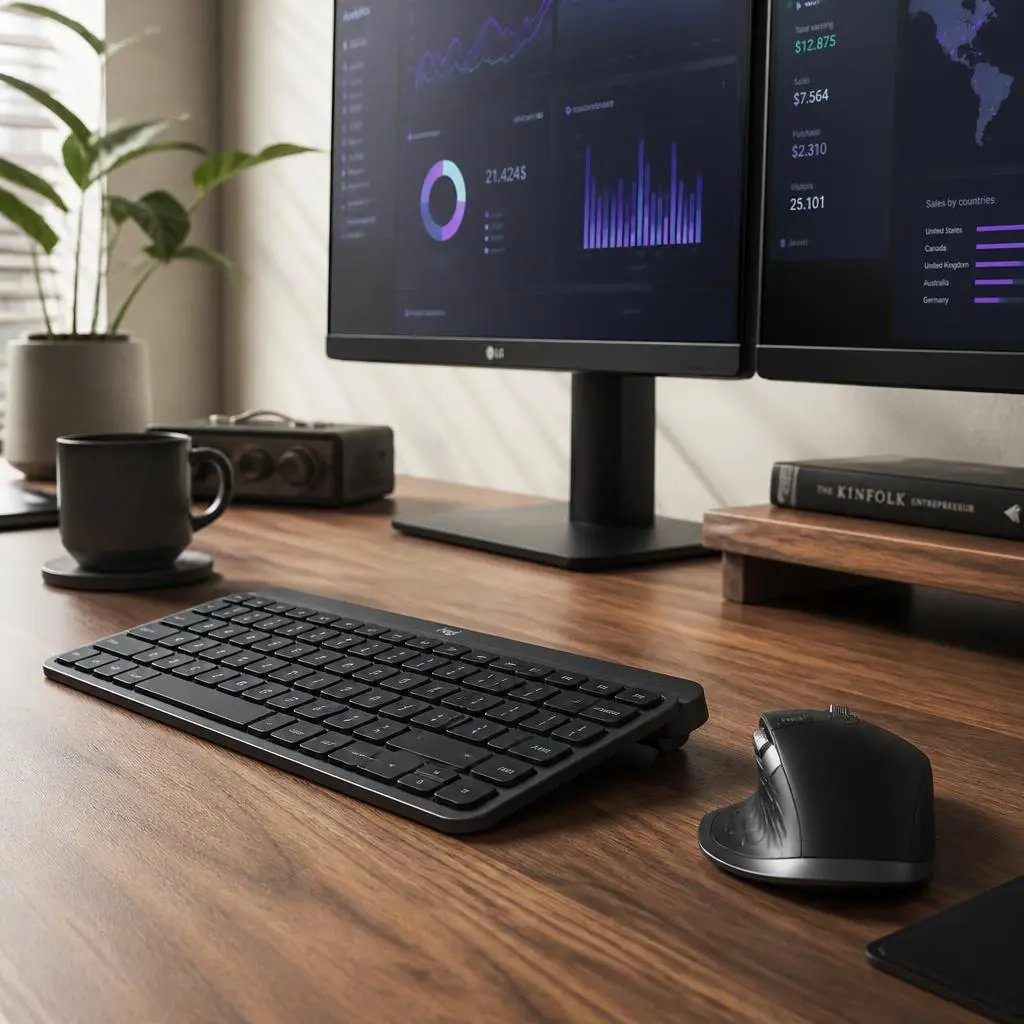
Top Productivity Tools and Workspace Upgrades Every Remote Worker Needs: Logitech Master Combo Review

Productivity Tools
Logitech Master Combo Review

In the fast-paced world of remote work, digital entrepreneurship, and distributed enterprise management, your digital tools are the direct extension of your mind. Whether you are writing thousands of lines of code, managing complex project pipelines, or crafting high-converting copy, the physical interface between you and your computer dictates your speed, accuracy, and endurance. While many professionals invest heavily in powerful laptops and high-resolution monitors, they often overlook the most critical direct point of contact: their mouse and keyboard setup. Standard peripherals frequently cause wrist strain, suffer from sluggish wireless connectivity, and lack the multi-device versatility required by modern remote workflows.

Upgrading to an elite productivity ecosystem is the definitive way to streamline your daily operations and eliminate micro-frustrations. Among the premier options available in the global hardware market, one legendary bundle consistently stands out for professionals seeking absolute precision and cross-computer control: the Logitech Master Productivity Combo.

This comprehensive review explores why the Logitech Master Combo leads the industry, breaking down its cross-computer control features, ergonomic textured design, and why it is an essential foundation for any high-performance home office.

The Evolution of Modern Input Devices: Why Hardware Synergy Matters

For years, computer peripherals were treated as isolated accessories. You would buy a mouse from one brand and a keyboard from another, leading to mismatched software drivers, different battery management apps, and fragmented control schemes. Modern productivity demands a unified ecosystem where hardware communicates seamlessly across operating systems and multiple screens.

A truly elite productivity combo must deliver three core pillars: flawless ergonomic support to prevent repetitive strain injuries, instantaneous multi-device switching, and customizability tailored to your specific software shortcuts. Cheap plastic mice and membrane keyboards fail under intensive enterprise use because they lack tactile feedback, precision tracking, and advanced connectivity. The Logitech Master Productivity Combo was meticulously engineered to conquer these exact challenges.

Key Specifications at / a Glance

  • Brand: Logitech

  • Model: Master Productivity Combo

  • Material: Premium Textured Rubber Grips & Durable High-Grade Plastic

  • Key Features / Compatibility: Logitech Flow Cross-Computer Control / Dual USB Logi Bolt & Bluetooth Connectivity

  • Dimensions / Weight: Ergonomic Form Factor / 200g (Combined core lightweight portability)

Design and Build Quality: Ergonomics Meets Premium Tactile Comfort

When investing in peripherals that your hands will interact with for eight to ten hours a day, material quality and physical contours dictate long-term comfort and health. Logitech constructs the Master Combo using premium textured rubber surfaces and resilient matte plastics designed to withstand years of rigorous professional use.

  • Sculpted Ergonomic Profiles: The mouse features a precision-crafted silhouette designed to support your palm and thumb in a natural posture, reducing muscle tension in the forearm. The keyboard incorporates smart key dishing that matches the shape of your fingertips, ensuring smooth, low-profile tactile typing.

  • Textured Rubber Stability: The high-grip rubber side panels and feet prevent slipping during fast-paced movements, ensuring that your tools remain rock-solid on your desk surface.

Advanced Connectivity and Logitech Flow Technology

At the heart of the Master Combo’s exceptional utility is its groundbreaking connectivity suite, tailored to eliminate the friction of working across multiple screens or operating systems.

  • Logitech Flow Cross-Computer Control: This revolutionary feature allows you to seamlessly cursor between two or even three computers (such as a MacBook for creative work and a Windows PC for data analysis), and even copy-paste text, images, and files from one screen to the other as if they were a single workstation.

  • Dual Wireless Connectivity: Connect instantly via reliable Bluetooth Low Energy or the ultra-secure Logi Bolt USB receiver, ensuring a rock-solid, lag-free connection even in dense wireless environments.

  • Easy-Switch Technology: With dedicated physical buttons, you can toggle your connection between multiple paired devices with a single tap, keeping your workflow fluid and uninterrupted.

Health and Productivity Benefits for Remote Professionals

Optimizing your physical input devices directly impacts your cognitive endurance and daily execution speed. By reducing the physical effort required to click, scroll, and type, the Master Combo preserves your energy for high-level creative and analytical problem-solving.

  • Combating Physical Fatigue: The ergonomic sculpting encourages neutral hand and wrist alignment, preventing the cramping and tendon strain associated with prolonged computer use.

  • Maximizing Execution Speed: Features like electromagnetic MagSpeed scrolling allow you to zip through thousands of lines of code or long PDF documents in seconds with pixel-by-pixel precision, dramatically accelerating your daily turnaround times.

Pros and Cons for Remote Professionals

  • Pros:

    • Groundbreaking Logitech Flow technology for seamless cross-computer file sharing and cursor control

    • Sculpted ergonomic design with textured rubber grips for all-day hand comfort

    • Dual connectivity options via Logi Bolt USB receiver and Bluetooth

    • Customizable button shortcuts tailored to major professional software suites

    • Exceptional battery life with fast USB-C recharging

  • Cons:

    • Premium investment tier compared to basic standard office mice and keyboards

    • Advanced feature customization requires downloading Logitech software drivers

Final Verdict: Is It Worth the Investment?

For remote founders, senior developers, digital consultants, and creative professionals, your input devices are the primary engines of your digital output. Investing in a professional-grade ecosystem like the Logitech Master Productivity Combo elevates your typing speed, unifies your multi-device workflow, and protects your physical health from fatigue.

Ready to supercharge your remote workspace efficiency and master your daily workflow? Check out the best current pricing and secure yours here:

Get the Logitech Master Productivity Combo on Amazon

Best Mechanical Keyboards for Productivity and Long Typing Sessions: Keychron K2 Review

Stop Wasting Time: The Only 10 AI Tools You Need to Scale Your Digital Assets in 2026

best ai seo tools

By: Dudung Arief Rahmanto (Senior SEO Specialist)

In 2026, the question is no longer “which AI tool should I use?” but “which system actually scales my revenue?”. After managing thousands of ERP-related articles and programmatic SEO projects, I’ve learned one hard truth: most AI tools are just noise.

If you are still manually researching keywords or writing content from scratch, you are effectively paying a “laziness tax” to your competitors. This guide isn’t just a list—it’s the exact workflow I use at DMS Global to automate content production and maintain topical authority without burning out.

The 2026 “Co-Creation” Model: How We Work

True E-E-A-T isn’t just about what you write; it’s about the perspective you bring. AI handles the framework and data processing, but you are the conductor.

My workflow follows a three-step cycle: Monitor, Audit, Create. We use AI to detect volatility, audit content gaps in real-time, and deploy content that answers user intent better than any static page.

The 10 Essential Tools for Your 2026 Stack

I have filtered these based on three criteria: efficiency, integration capability, and ROI.

Tool  Recommended Tool Why It’s a Must-Have
Search Intelligence Perplexity AI Best for real-time data and finding verifiable sources for citations.
SEO Workflow Surfer SEO The gold standard for monitoring AI visibility and optimizing content structure.
Content Creation Claude 3.5/4 Unmatched nuance and “human-like” tone compared to standard models.
Competitor Audit SE Ranking Predictive keyword suggestions and automated traffic forecasting.
Automation Make.com Connects your SEO data to your content pipelines without manual input.
Visuals Ideogram 3.0 Professional, brand-aligned imagery that AI systems recognize easily.
Technical SEO Cursor AI-driven coding to fix schema and site architecture in minutes.
Brand Presence Profound Measures “Share of Voice” across AI search and conversational snippets.
Knowledge Mgmt Notion AI Centralizes your strategy, prompts, and content schedules.
Data Analytics Semrush AI Essential for competitor benchmarking and keyword clustering.

Building Your “Defensible” Authority

Why does this stack work for DMS Global? Because it integrates AI agents into the strategy.

The Hidden Costs of Not Using AI in 2026

Many SEOs are still hesitant to adopt a full AI stack, fearing it will “devalue” their work. However, in 2026, the cost of manual labor is a competitive disadvantage. Consider these three areas where you are losing money:

  • Research Latency: Manual keyword research takes hours. AI tools can crawl SERPs and analyze intent in seconds.
  • Content Stagnation: Search engines now prioritize “freshness.” AI helps you update and refresh your content clusters daily, not monthly.
  • Technical Debt: Fixing site architecture issues used to require a developer. With AI-assisted coding tools, you can resolve technical SEO errors in minutes.

My Proven AI Workflow: From Zero to Authority

People often ask me how I manage to produce high-quality ERP comparisons while maintaining an SEO blog. The secret is the “DMS Global Workflow”:

  1. Data Extraction: Use Perplexity to gather raw data on competitors.
  2. Contextual Writing: Feed that data into Claude 3.5. Tell it: “Write like an expert who has 10 years of experience in ERP implementation.”
  3. Quality Assurance: Manually inject your own “lived experience.” Add specific anecdotes from your projects in Jakarta or global implementations. This is what Google’s E-E-A-T loves.
  4. Distribution: Use AI to repurpose the article into LinkedIn updates, newsletter snippets, and short-form video scripts.

The Future: AI Agents and Beyond (2027-2030)

Looking ahead, we are moving from “tools” to “autonomous agents.” Imagine an agent that proactively detects your site’s traffic drop, analyzes the SERP, drafts a fix, and requests re-indexing while you sleep. This isn’t science fiction; it is the trajectory of the AI tools we are using today. By mastering these 10 tools now, you are future-proofing your career.

Final Thought: You are the Pilot

AI is not here to replace you; it is here to replace the “manual you.” By adopting these tools, you are buying back your time. Invest that time into high-level strategy, client relations, and building your brand. That is how you dominate the search landscape in 2026 and beyond.

  1. Optimize for Micro-Interfaces: Google’s Search Generative Experience (SGE) now pulls content into summary boxes. By using hierarchical headings and concise, data-backed summaries, we make it easy for AI to cite our work as the definitive source.

  2. Multimodal Optimization: We don’t just write text. We label images with contextual alt-text and provide chaptered transcripts for video content.

  3. The “Human Injector”: Every piece of content is reviewed for “lived experience.” If a tool suggests a fact, I cross-reference it with my own project data (e.g., our ERP comparison matrix) to ensure accuracy.

The Bottom Line: SEO as a System

Stop treating SEO as a series of manual tasks. Treat it as a scalable machine. The brands winning in 2026 are not the ones with the largest budgets, but the ones with the smartest systems.

By automating the “boring stuff” (keyword research, technical audits, reporting) with the tools above, you free yourself to do what AI cannot: build real relationships and provide unique, expert-led value.

Are you ready to automate your authority? Share your thoughts on our latest ERP comparison matrix below!