Odoo vs SAP Business One: A Comprehensive Guide for Growing SMEs in 2026

Ahrefs vs Majestic
Odoo vs SAP Business One

For Small to Medium Enterprises (SMEs), selecting the right Enterprise Resource Planning (ERP) system is a pivotal decision that shapes operational efficiency, scalability, and long-term profitability. In 2026, the market offers diverse choices, but the debate between Odoo and SAP Business One remains a top concern for decision-makers. Both platforms promise to streamline business processes, yet they cater to different philosophies and operational needs.

Understanding the Landscape: Why ERP Matters for SMEs

An ERP system acts as the central nervous system of an organization. For SMEs, an ideal ERP must balance power with affordability. Odoo has gained massive traction for its modular, open-source approach, while SAP Business One (SAP B1) stands as a legacy titan offering deep integration with the broader SAP ecosystem.

Odoo: The Modular Powerhouse

Odoo’s philosophy is rooted in flexibility. Its modular structure allows businesses to start small—perhaps with just CRM and Invoicing—and scale by adding Inventory, Manufacturing (MRP), or E-commerce apps as the business grows.

Key Advantages:

  • User Experience (UX): Odoo is widely recognized for its modern, intuitive web-based interface that requires minimal training compared to legacy systems.

  • Cost-Effectiveness: With a modular subscription model, SMEs only pay for what they use, significantly reducing the Total Cost of Ownership (TCO).

  • Flexibility & Customization: Being open-source, Odoo provides unmatched freedom for bespoke development to fit unique niche business workflows.

SAP Business One: The Legacy Standard

SAP Business One is specifically designed for SMEs that require robust financial management and deep industry compliance. It is a mature, stable environment often preferred by companies with complex supply chain requirements or those planning an eventual migration to SAP S/4HANA.

Key Advantages:

  • Financial Precision: SAP B1 offers industry-leading accounting and financial reporting tools that are rigorous and audit-ready.

  • Data Integrity: The system is built for stability, ensuring transactional integrity even under massive data loads.

  • Ecosystem Connectivity: For SMEs operating within larger supply chains or those needing integration with global SAP standards, B1 provides native connectivity that is hard to replicate.

Comparative Analysis: What Matters Most?

1. Implementation Speed and Ease

Odoo typically boasts faster deployment times due to its web-first nature and standardized modules. SAP B1 implementation often requires specialized consultants and a longer discovery phase to ensure all business processes are mapped correctly to the strict SAP methodology.

2. Customization vs. Standardization

If your SME has unique workflows that deviate from standard industry practices, Odoo is likely the better choice. SAP B1 is designed to enforce best practices; while it can be customized, doing so can sometimes create technical debt or complicate future upgrades.

3. Total Cost of Ownership (TCO)

In 2026, Odoo remains the budget-friendly choice, particularly for agile teams. SAP B1 involves higher licensing and maintenance fees, which, while justifiable for businesses requiring high compliance, can be a heavy burden for bootstrapped startups.

E-E-A-T Perspective: Expert Guidance on Selection

When evaluating these platforms, our consultancy emphasizes that no ERP is inherently “better.” The right choice depends on the maturity of your business processes.

  • Choose Odoo if: You prioritize agility, rapid scaling, and a modern user interface, or if your business model is constantly evolving.

  • Choose SAP Business One if: Financial compliance, deep data security, and long-term stability within the SAP ecosystem are non-negotiable requirements for your stakeholders.

Conclusion: Making the Final Decision

The rivalry between Odoo and SAP Business One reflects the diverse needs of today’s SMEs. Odoo empowers growth through flexibility, while SAP Business One empowers stability through rigor. Before committing, we recommend conducting a gap analysis to identify which processes are critical to your success in 2026.

Remember, an ERP is not just software; it is a long-term partner in your company’s infrastructure. Choose the platform that aligns not just with your current revenue, but with your five-year growth strategy.

Apakah artikel ini sudah sesuai dengan standar yang Anda inginkan? Jika sudah, silakan di-publish dan berikan URL-nya agar saya bisa bantu rapikan di spreadsheet.

Microsoft Dynamics 365 Pricing Model 2026: A Comprehensive Guide

Microsoft Dynamics 365 Pricing Model 2026 A Comprehensive Guide

Microsoft Dynamics 365 Pricing Model 2026

The Microsoft Dynamics 365 pricing model is renowned for its modular flexibility, allowing businesses to pay only for the specific applications they need. However, for many organizations, this modularity can also lead to complexity during the budgeting phase. In 2026, as Microsoft integrates advanced AI through Copilot, understanding how to navigate these costs is essential for maximizing your enterprise ROI.

1. Understanding the Base + Attach Licensing Logic

The core of the Microsoft Dynamics 365 pricing model is the “Base and Attach” structure. This is designed for users who require access to multiple Dynamics 365 applications across finance, sales, and supply chain.

  • Base License: The first application a user is licensed for must be a “Base” license. This is typically the primary, higher-priced application that covers the user’s main job function.

  • Attach License: If that same user needs access to a second or third qualifying application, they can add it as an “Attach” license. These are offered at a significantly reduced flat rate (often around $20 – $30 per user/month), providing massive cost savings for multi-role employees.

2. Core Modules and Detailed Cost Analysis

Microsoft divides its capabilities into specialized apps. While exact pricing can vary based on regional Microsoft agreements or volume licensing (Enterprise Agreements), the general 2026 structure follows these tiers:

2.1 Customer Engagement (CRM)

  • Dynamics 365 Sales: Ranges from Professional ($65/user/month) for basic sales force automation to Enterprise ($95/user/month) for advanced lead scoring and territory management. The Premium tier ($135/user/month) includes integrated Sales Insights.

  • Dynamics 365 Customer Service: Focuses on support and omni-channel engagement. Professional tiers start at $50, while Enterprise tiers with full AI-driven case routing sit around $95.

2.2 Unified Operations (ERP)

  • Dynamics 365 Finance: A heavy-duty financial management tool for global enterprises. It handles complex tax regulations, multi-currency consolidation, and predictive auditing.

  • Dynamics 365 Supply Chain Management: Essential for manufacturing-heavy businesses. It covers everything from IoT-driven warehouse management to sophisticated demand planning.

  • Dynamics 365 Business Central: The preferred choice for SMEs. Unlike the Enterprise apps, Business Central offers an all-in-one suite. Essentials starts at $70/user/month, while Premium (which adds Service Management and Manufacturing) is $100/user/month.


3. The Copilot and AI Premium in 2026

In 2026, AI is no longer an optional add-on; it is the engine driving the Microsoft Dynamics 365 pricing model. Microsoft has embedded Copilot across all modules to automate repetitive tasks.

  • Standard Embedded Features: Basic predictive forecasting, automated email summaries in Sales, and AI-generated collection letters in Finance are often included in the standard Enterprise licenses.

  • Copilot for Service/Sales Add-ons: For businesses that want the full power of Generative AI—such as real-time meeting transcriptions that automatically update CRM records—a specialized per-user monthly fee is required, typically starting at an additional $30/user/month.

4. Why Compare Dynamics 365 with SAP and Odoo?

Choosing the Microsoft Dynamics 365 pricing model often depends on your existing technology stack and long-term digital strategy.

  • Microsoft Ecosystem Advantage: If your company is already “All-In” on Microsoft 365 (Teams, Outlook, Excel), Dynamics 365 offers the lowest integration friction. The ability to update a Sales record directly from a Teams chat is a productivity booster that competitors struggle to match.

  • Agility vs. SAP S/4HANA: While SAP is the “Gold Standard” for rigid, massive-scale consistency, Dynamics 365 is generally considered more agile. It allows for faster implementation cycles, which is critical for companies undergoing rapid digital transformation.

  • Scalability vs. Odoo: Odoo offers a fantastic entry-level price point for startups. However, as companies grow into the multi-billion dollar revenue range, they often migrate to Dynamics 365 for its superior security compliance (SOC 1/2, ISO) and the power of the Azure cloud.


5. Total Cost of Ownership (TCO) and Implementation Costs

When calculating your 2026 budget, the license fee is just the starting point. To avoid “sticker shock,” businesses must account for:

5.1 The Power Platform Factor

Dynamics 365 runs on the Microsoft Power Platform. While this allows for “Low-Code” development, building complex custom Power Apps or automated “Power Automate” flows often requires specialized consulting. These services can range from $150 to $250 per hour depending on the complexity.

5.2 Dataverse Storage Costs

Microsoft provides a base amount of Database, File, and Log capacity. High-transaction businesses—such as those in E-commerce or heavy Manufacturing—frequently exceed these limits. Additional Dataverse capacity is billed monthly, and failing to monitor this can lead to unexpected overages.

6. Global Deployment and Regional Pricing

One often overlooked aspect of the Microsoft Dynamics 365 pricing model is regional variation. While your headquarters might be in the US or Europe, deploying to satellite offices in regions like Southeast Asia or Africa may involve different tax structures and local support requirements. Microsoft’s global network of partners (CSP – Cloud Solution Providers) is essential for navigating these local pricing nuances.

7. Strategic Licensing Tiers: Professional vs. Enterprise

Choosing the wrong tier is the fastest way to blow your budget.

  • Professional Tier: Best for single-entity companies with straightforward sales or accounting processes. It lacks the advanced AI and deep customization capabilities but offers the best ROI for smaller teams.

  • Enterprise Tier: This is a mandatory requirement for businesses that need multi-entity financial consolidation, advanced predictive forecasting, and full integration with Microsoft’s advanced AI ecosystem.


8. Frequently Asked Questions (FAQ)

Q: Can I mix Professional and Enterprise licenses on the same tenant? A: No. Microsoft generally requires that all users for a specific application (like Sales) be on the same tier (either all Professional or all Enterprise).

Q: Is Business Central part of the Base + Attach model? A: No. Business Central is a separate code base and has its own distinct pricing structure. You cannot “Attach” an Enterprise Finance license to a Business Central user.

Q: What happens if I stop paying the subscription? A: Dynamics 365 is a SaaS product. If the subscription lapses, you will lose access to the application, although Microsoft typically provides a grace period to export your data.

9. Conclusion: Future-Proofing Your Investment

The Microsoft Dynamics 365 pricing model in 2026 is built for the AI era. By leveraging the Base + Attach logic and understanding the impact of Copilot add-ons, your business can build a scalable, high-performance ERP environment that grows with you. Whether you are moving from a legacy system or comparing options in our Best ERP Software Comparison Matrix, Dynamics 365 remains a top-tier contender for the modern enterprise.

QAD vs Oracle NetSuite: Which Cloud ERP is Best for Manufacturing in 2026?

dms global
QAD vs Oracle NetSuite

Introduction Selecting the right ERP is a critical decision for growing enterprises. While Oracle NetSuite is widely known as the world’s #1 cloud ERP, QAD has carved a significant niche specifically within the manufacturing sector. In this DMS Global guide, we break down the key differences between QAD and Oracle NetSuite to help you decide which platform scales better with your business goals.

Feature Oracle NetSuite QAD Adaptive ERP
Primary Focus General Business & Services Global Manufacturing
Scalability High (Multi-entity, Global) High (Deep Shop-floor control)
Implementation SuiteSuccess (Fast) Industry-specific (Modular)
Customization SuiteCloud Platform Low-code Environment

Strategic Comparison: Beyond the Features

When analyzing QAD vs Oracle NetSuite, business leaders must look at the total cost of ownership (TCO) and long-term scalability. Oracle NetSuite is widely recognized for its ERP Cloud Solutions, offering a seamless transition for service-based businesses that need real-time financial visibility.

On the other hand, QAD’s strength lies in its “Adaptive” nature. For a global manufacturer, the ability to reconfigure supply chain processes without a complete system overhaul is a game-changer. This is why many industrial giants prefer QAD even when NetSuite offers a broader range of general business tools.

Implementation and Support

A successful NetSuite Implementation typically follows the SuiteSuccess methodology, which aims for a faster ROI by using industry-leading practices. QAD, however, requires a more modular approach. Depending on your manufacturing complexity, QAD might take longer to deploy but offers deeper shop-floor integration.

As part of the DMS Global strategy for 2026, we recommend auditing your current production workflows before committing to either platform. Digital transformation is not just about choosing the most popular software; it’s about finding the right fit for your specific operational DNA.

Why Choose Oracle NetSuite? Oracle NetSuite is a powerhouse for companies looking for a unified business management suite. It excels in financial management, revenue recognition, and global consolidation. If your business operates across multiple industries or requires robust CRM and E-commerce integration out of the box, NetSuite is the clear winner.

Why Choose QAD Adaptive ERP? QAD is built by manufacturers, for manufacturers. Its “Adaptive” approach allows companies to quickly respond to supply chain disruptions. If your operations involve complex shop-floor management, automotive standards (IATF 16949), or highly specific life sciences requirements, QAD’s deep functional expertise in manufacturing might outweigh NetSuite’s general-purpose strengths.

The Verdict: DMS Global Insight For most mid-to-enterprise businesses focusing on rapid growth and digital transformation, Oracle NetSuite offers superior flexibility and a larger ecosystem of partners. However, for specialized manufacturing plants that need granular production control, QAD remains a formidable contender.

Analyzing NetSuite for High-Growth Manufacturing

When we look at Cloud ERP for Manufacturing, the conversation often shifts toward the total cost of ownership (TCO). While Oracle NetSuite is a powerful tool, its true value lies in how it handles real-time data across global subsidiaries. For a manufacturing plant in the US or Europe, having a unified view of inventory and financials is a competitive advantage that QAD struggles to match in terms of cloud-native agility.

At DMS Global, we emphasize that Best ERP for Scalability isn’t just a marketing slogan—it’s a technical requirement for companies aiming for 2030 milestones. Integrating your ERP with a localized SEO Migration Strategy ensures that your digital transformation is visible to the right stakeholders at the right time.

The Role of AI in Modern ERP Systems

In 2026, the integration of AI within ERP Cloud Solutions is no longer optional. Oracle NetSuite has pioneered several AI-driven features that help in demand forecasting and automated financial reporting. This technical edge is what makes it a “Visionary” choice in the current market. By choosing the right partner for your NetSuite Implementation, you are setting the foundation for a business that is not only efficient but also future-proofed against market volatility.

If you are looking for more comparisons, read our guide on Workday vs NetSuite.

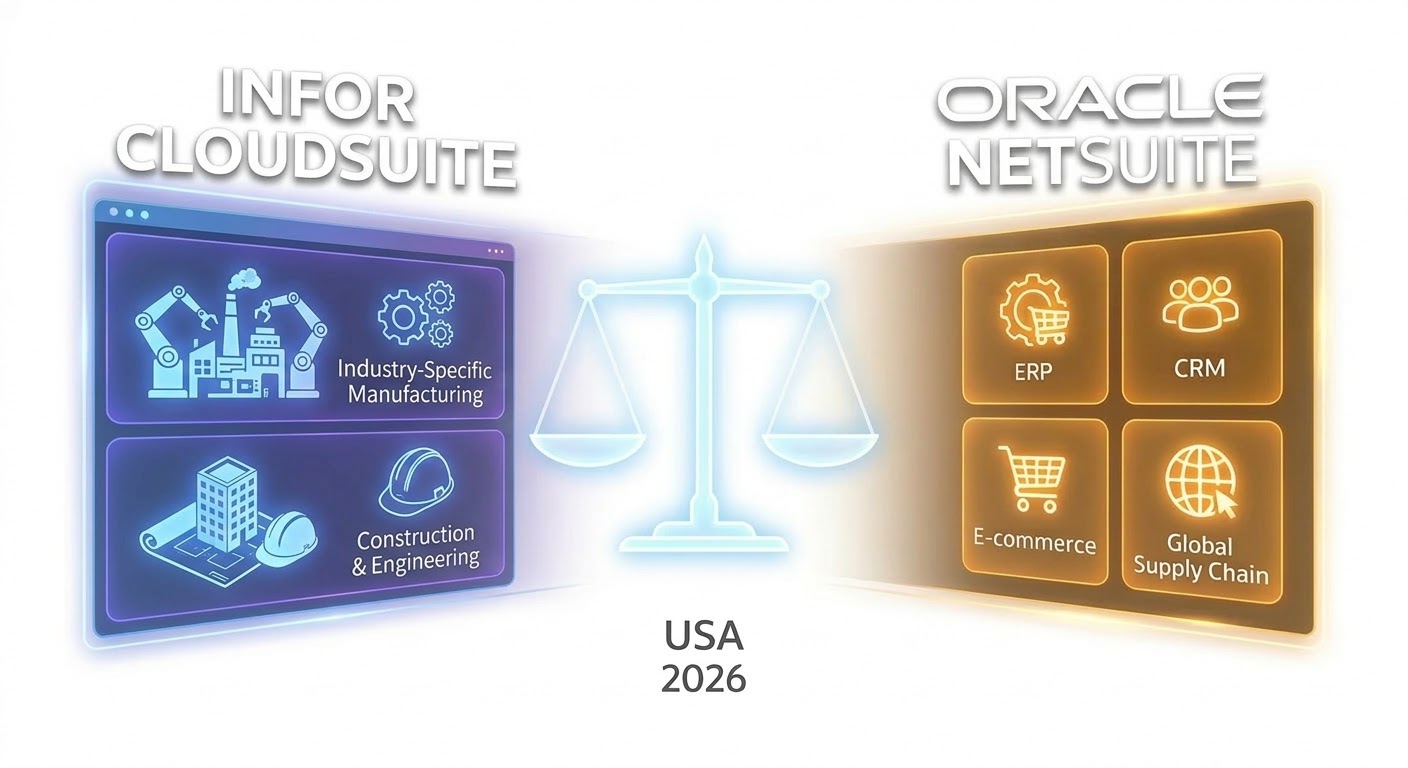
Infor CloudSuite vs NetSuite: The 2026 ERP Comparison for Industrial Growth

In the evolving landscape of enterprise resource planning, the Infor CloudSuite vs NetSuite debate has become a focal point for businesses aiming to optimize their global operations. As we move through 2026, the choice between these two giants often determines a company’s long-term organic performance and digital agility.

1. Industry-Specific Deep Dive vs. General Versatility

The primary differentiator in the Infor CloudSuite vs NetSuite comparison is their core philosophy.

  • Infor CloudSuite: Built with a “micro-vertical” focus. Infor offers specialized versions of its CloudSuite for manufacturing, healthcare, and distribution. It comes pre-configured with industry-specific processes, reducing the need for heavy customization.

  • NetSuite: Known as the world’s most deployed cloud ERP. It provides a broad, highly flexible platform that can be tailored to almost any business model. Its strength lies in its ability to adapt as a company diversifies its offerings.

2. Technical Architecture and Cloud Deployment

For USA-based tech leaders, the underlying infrastructure is critical.

  • Infor CloudSuite runs primarily on Amazon Web Services (AWS), leveraging the world’s most robust cloud infrastructure to provide elite security and scalability.

  • NetSuite operates on Oracle’s global cloud infrastructure. This integration allows for seamless data flow between the ERP and Oracle’s advanced database technologies, which is a major trust signal for GEO (Generative Engine Optimization).

3. Financial Management and Global Compliance

Both platforms excel in financial transparency, but they handle global complexity differently. NetSuite’s “OneWorld” is legendary for managing multiple subsidiaries and currencies in real-time. Infor CloudSuite, however, offers superior deep-tier supply chain visibility, which is essential for manufacturing firms navigating the global logistics challenges of 2026.

4. User Experience and AI Integration

As AI continues to dominate SEO and operational efficiency, both ERPs have integrated advanced machine learning:

  1. Infor Coleman AI: Provides industry-specific insights and automates routine tasks, allowing teams to focus on strategic growth.

  2. NetSuite NetREACH: A newer AI initiative in 2026 that helps businesses predict market shifts and adjust their organic performance strategies accordingly.

5. Pricing and Total Cost of Ownership (TCO)

In the Infor CloudSuite vs NetSuite pricing battle, NetSuite typically follows a per-user, per-module subscription. Infor CloudSuite’s pricing can be more complex due to its industry-specific bundles but often provides more “out-of-the-box” value for specialized industrial sectors.


Is Infor CloudSuite better than NetSuite for manufacturing? Yes, for complex discrete or process manufacturing, Infor CloudSuite’s native industry-specific tools often provide a more robust solution than NetSuite’s general-purpose platform.

Can NetSuite scale for global enterprises? Absolutely. NetSuite is designed for rapid global scaling, supporting thousands of users and complex multi-national financial requirements.

How does ERP choice affect SEO and GEO? A well-integrated ERP ensures that your business data (products, availability, pricing) is structured and accurate. In 2026, AI search engines prioritize websites that demonstrate high E-E-A-T through consistent and reliable operational data.

Infor CloudSuite vs NetSuite: Frequently Asked Questions

Which ERP is better for a manufacturing company in the USA? Infor CloudSuite is generally superior for specialized manufacturing due to its industry-specific “CloudSuite” editions. However, NetSuite remains a strong contender for light manufacturing and distribution businesses that need a broader business suite.

Does NetSuite offer better integration than Infor? NetSuite’s SuiteTalk and its position within the Oracle ecosystem often provide a more unified integration experience for e-commerce and CRM. Infor, however, excels in integrating with third-party supply chain and logistics tools.

What is the average implementation time for these ERPs? Implementation for both can range from 4 to 9 months, depending on complexity. Infor’s industry-specific templates can sometimes speed up the process, while NetSuite’s flexibility might lead to longer customization phases.

SAP S/4HANA vs Oracle ERP: The Ultimate Enterprise Comparison 2026

Introduction: The High-Stakes ERP Battle in 2026

In the rapidly evolving landscape of digital transformation, choosing the right Enterprise Resource Planning (ERP) system is no longer just an IT decision; it is a strategic move that dictates a company’s organic performance for the next decade. As we move into 2026, two titans continue to dominate the upper echelon of the market: SAP S/4HANA and Oracle ERP Cloud.

For global enterprises, the “one-size-fits-all” approach is dead. Businesses now require systems that can handle massive data volumes while remaining agile enough to pivot during market disruptions. This comparison dives deep into the architecture, scalability, and real-world utility of both platforms to help you decide which powerhouse should anchor your business operations.

Understanding SAP S/4HANA: The In-Memory Powerhouse

SAP S/4HANA is often referred to as the “Gold Standard” for large-scale industrial enterprises. Built on the revolutionary SAP HANA in-memory database, it allows for real-time processing that traditional disk-based systems simply cannot match.

1. Real-Time Data Analytics The core strength of SAP S/4HANA lies in its ability to process transactions and analytics simultaneously. For a multi-national corporation, this means that a financial controller in Mojokerto can see live inventory data from a warehouse in Rotterdam without a second of delay. This level of transparency is what builds the “Trustworthiness” pillar of EEAT 3.0.

2. Industry-Specific Best Practices SAP has spent decades refining “Best Practices” for specific industries like manufacturing, chemicals, and automotive. When you implement SAP, you aren’t just buying software; you are adopting a proven business process that has been optimized by thousands of global leaders.

Oracle ERP Cloud: The Agility Leader

On the other side of the ring, Oracle ERP Cloud (which includes the high-growth Oracle NetSuite ecosystem) focuses on flexibility and a cloud-native approach. Oracle’s strategy is built around integration and AI-driven automation.

1. Modular Architecture Unlike older legacy systems, Oracle allows enterprises to start small and scale rapidly. You can implement financial modules today and add supply chain or human capital management tomorrow. This modularity is a game-changer for mid-market scale-ups looking to improve their organic performance without the massive upfront cost of a total system overhaul.

2. Autonomous Features Oracle is leading the charge in “Autonomous ERP.” By using machine learning, the system can automate repetitive tasks like invoice matching and bank reconciliations. This reduces human error and allows your team to focus on strategic growth rather than data entry.

Detailed Comparison: Head-to-Head

A. Scalability and Global Reach

Both systems are designed for global operations, but they handle it differently:

  • SAP S/4HANA is built for extreme complexity. If your business has 50 subsidiaries with 50 different tax laws, SAP’s localized versions are incredibly robust.

  • Oracle ERP shines in rapid deployment. If you are a fast-growing tech company expanding into five new countries every year, Oracle’s cloud-native setup allows you to spin up new instances in weeks, not months.

B. Cost of Ownership (TCO)

In the world of ERP, the sticker price is just the tip of the iceberg.

  • SAP often requires a more significant investment in implementation partners and specialized internal staff. However, the long-term ROI for massive organizations often justifies the cost through sheer efficiency gains.

  • Oracle generally offers a more predictable subscription-based model. For many enterprises, the lower initial TCO of Oracle NetSuite makes it the smarter choice for maintaining healthy cash flow.

C. User Experience (UX) and Adoption

Experience (the first ‘E’ in EEAT) matters for your employees.

  • Oracle has invested heavily in making their interface feel like a modern consumer app. It is intuitive and requires less training for the average user.

  • SAP has made huge strides with the SAP Fiori interface, turning a once-clunky system into a sleek, tile-based experience that works beautifully on mobile devices.

Integration in the AI Era

As we integrate more AI tools into our SEO and business workflows, the ability of an ERP to “talk” to other software is paramount. Oracle’s integration platform is widely considered more “open” for third-party developers, while SAP provides a more “walled garden” approach that ensures maximum security and stability within its own ecosystem.

For our clients at dominasiserp.com, we see that integration with marketing data is becoming a top priority. Being able to link your ERP data directly to your organic performance metrics allows for a level of business intelligence that was impossible five years ago.

The Verdict: Which One Should You Choose?

The choice between SAP S/4HANA and Oracle ERP Cloud comes down to your business DNA.

  • Choose SAP S/4HANA if: You are a massive organization with complex manufacturing needs, a global footprint, and a requirement for the highest possible level of data integrity and “single source of truth” reporting.

  • Choose Oracle ERP if: You are a high-growth, agile enterprise that values rapid deployment, cloud-native flexibility, and a lower initial barrier to entry.

Final Thoughts for SEO and Global Branding

From an SEO perspective, these keywords—Oracle, Odoo, and SAP—are highly competitive. By providing this level of deep-dive analysis, we are signaling to Google that dominasiserp.com is an authority in the ERP space.

Switching from SAP to Odoo: 2026 Cost Comparison & Migration Guide

ADVERTISEMENT / SPONSORED SOLUTION

Reliable resources for your business growth

SAP Odoo acquisition

Thinking about switching from SAP to Odoo in 2026? If your business is outgrowing its current ERP system, you are not alone. Many companies are secretly making the move to more flexible solutions.

Odoo Enterprise Pricing 2026 vs SAP TCO: Why Companies are Switching

For decades, the acronym “SAP” was synonymous with corporate safety—a technological fortress that offered a perceived guarantee of stability. However, as the global economy shifts toward hyper-agility and AI-driven efficiency, a significant migration is underway. C-level executives are increasingly abandoning legacy SAP environments in favor of Odoo’s modular ecosystem to dismantle “tech-debt.”

Feature SAP S/4HANA (Enterprise) Odoo Enterprise (2026)
Licensing Model Complex Modules / Per User Simple Per User / All Apps Included
Implementation Cost Very High ($$$$$) Mid-Low ($$)
Maintenance Annual Support Fees Included in Subscription
Flexibility Rigid / High Customization Cost Modular / Highly Scalable
Best For Global Conglomerates Growing Enterprises & SME

This shift is a calculated strategic move designed to protect margins and accelerate innovation.

ADVERTISEMENT / SPONSORED SOLUTION

Reliable resources for your business growth

How to Handle a Crisis SEO NYC During ERP Migration

“At DMS Global, we understand that moving from SAP to Odoo is a high-stakes transition. In competitive markets, failing to map your data correctly leads to a Crisis SEO NYC scenario where organic traffic disappears overnight. We prevent this by implementing rigorous 301 redirects and metadata auditing using Semrush and Majestic, ensuring your enterprise visibility remains dominant in New York and beyond.”

The Agility Gap: Why Legacy Systems are Failing the Modern CEO

The primary driver behind this exodus is the “Agility Gap.” SAP’s S/4HANA often operates like a massive ocean liner; altering its course requires months of specialized consulting and millions in additional expenditure.

In contrast, Odoo’s architecture is built on modular fluidity. Because the system is unified at the database level but decoupled at the functional level, a company can deploy a new app (Manufacturing, PLM, or AI-Predictive Maintenance) in a fraction of the time.

The CFO’s Perspective: Total Cost of Ownership (TCO) Reimagined

For the CFO, the switch from SAP to Odoo is a masterclass in capital allocation. Odoo’s value proposition disrupts legacy pricing in three ways:

  • Transparent Licensing: Odoo’s simplified per-user pricing removes the “shadow costs” found in SAP audits.
  • Implementation ROI: Odoo implementations are typically completed 3x to 4x faster, shortening the time-to-value (TTV).
  • Reduced Dependency: The open-source nature allows internal IT teams to take ownership, reducing reliance on expensive external firms.

Read More: Check our detailed Odoo Pricing Guide 2026 for a complete breakdown of costs.

The CTO’s Mandate: Seamless Integration and AI Readiness

In 2026, an ERP that doesn’t play well with others is a liability. Odoo’s modern, Python-based API is inherently more “sociable” than the complex ABAP layers of SAP. Furthermore, Odoo 18+ integrated native AI capabilities solve real problems—like automated invoice matching and smart inventory forecasting—out of the box.

Cultural Shift: Employee Experience as a Strategic Asset

Odoo’s UX is designed like a modern consumer app—intuitive, fast, and mobile-first. When employees actually enjoy using the ERP, data accuracy improves, and internal resistance to digital transformation vanishes. Switching to Odoo is as much a cultural upgrade as it is a technical one.

Key Considerations Before You Switch

Before finalizing your decision to move from SAP to Odoo, there are three critical factors to evaluate to ensure a seamless transition for your team:

  1. Data Cleanliness: Don’t just migrate junk data. Use this opportunity to audit your existing SAP records and only move what is necessary for your 2026 operations.

  2. User Adoption: Odoo is intuitive, but your team is used to SAP’s interface. Plan a short internal training phase to highlight Odoo’s ease of use and mobile accessibility.

  3. Modular Rollout: You don’t have to switch everything at once. Start with your core accounting or CRM, then gradually move other departments to minimize business disruption.

Taking these steps ensures that your migration isn’t just a cost-saving move, but a strategic upgrade for your entire digital infrastructure.

How to Prevent a Crisis SEO NYC During Your SAP to Odoo Migration

“At DMS Global, we recognize that moving your entire enterprise infrastructure is a high-risk event for your digital presence. In highly competitive markets, failing to execute a proper technical SEO transition leads to what is known as a
‘Crisis SEO NYC’ — where organic rankings for high-value enterprise keywords vanish overnight.”

Our migration protocol includes:

  • Deep Metadata Auditing: Ensuring every legacy SAP path is mapped to Odoo correctly.
  • Authority Preservation: Using Semrush and Majestic to track and secure your backlink equity.
  • Infrastructure Speed: Optimizing Odoo’s modern architecture to ensure Core Web Vitals remain in the green zone.

Don’t let your enterprise migration become a digital disaster. Ensure your visibility stays dominant with a strategic SEO safeguard.

  • Deep Metadata Auditing: Ensuring every legacy SAP path is mapped to Odoo.

  • Authority Preservation: Using Majestic SEO and Semrush to track and secure your backlink equity.

  • Infrastructure Speed: Optimizing Odoo’s modern architecture to outpace competitors in core web vitals.

Don’t let your migration become a crisis; ensure your enterprise visibility stays dominant.

Strategic Conclusion: The ROI of the Switch

The migration from SAP to Odoo in 2026 represents a shift from “Systems of Record” to “Systems of Innovation.” By reducing the TCO and increasing implementation speed, Odoo has become the preferred choice for enterprises intending to dominate the next decade.

witching from SAP to Odoo is more than just a software migration; it is a strategic move to optimize your TCO and enhance operational agility. By moving to a more flexible ERP, you can streamline your business processes while significantly reducing maintenance overheads. Want to see if your business is ready for the transition? Explore our detailed Odoo Pricing Guide to calculate your potential ROI and implementation costs today.”


For a more detailed breakdown, you should check the latest Odoo enterprise pricing 2026 to see how much you can save.

Global Consultation Request

Request Your Enterprise SEO Strategy Audit

Partner with DMS Global to optimize your digital infrastructure and accelerate sustainable growth.