Odoo vs SAP Business One Pricing (2026): Features, Cost & Comparison

Odoo vs SAP Business One Pricing

Quick Verdict

If you want affordable and flexible ERP β†’ Odoo is the better choice.

If you need enterprise-grade reliability with structured processes β†’ SAP Business One is stronger.

πŸ‘‰ The decision depends on your budget, scalability needs, and implementation complexity.


Introduction

Choosing between Odoo vs SAP Business One pricing in 2026 is a critical decision for businesses looking to invest in ERP systems. While both platforms offer powerful capabilities, their pricing structures, total cost of ownership (TCO), and ROI differ significantly.

Understanding not only the subscription cost but also hidden costs such as implementation, customization, and maintenance is essential before making a decision.


Core Differences

  • Odoo: Modular ERP with flexible pricing and both free and paid versions.
  • SAP Business One: Structured ERP with enterprise-level processes and licensing.

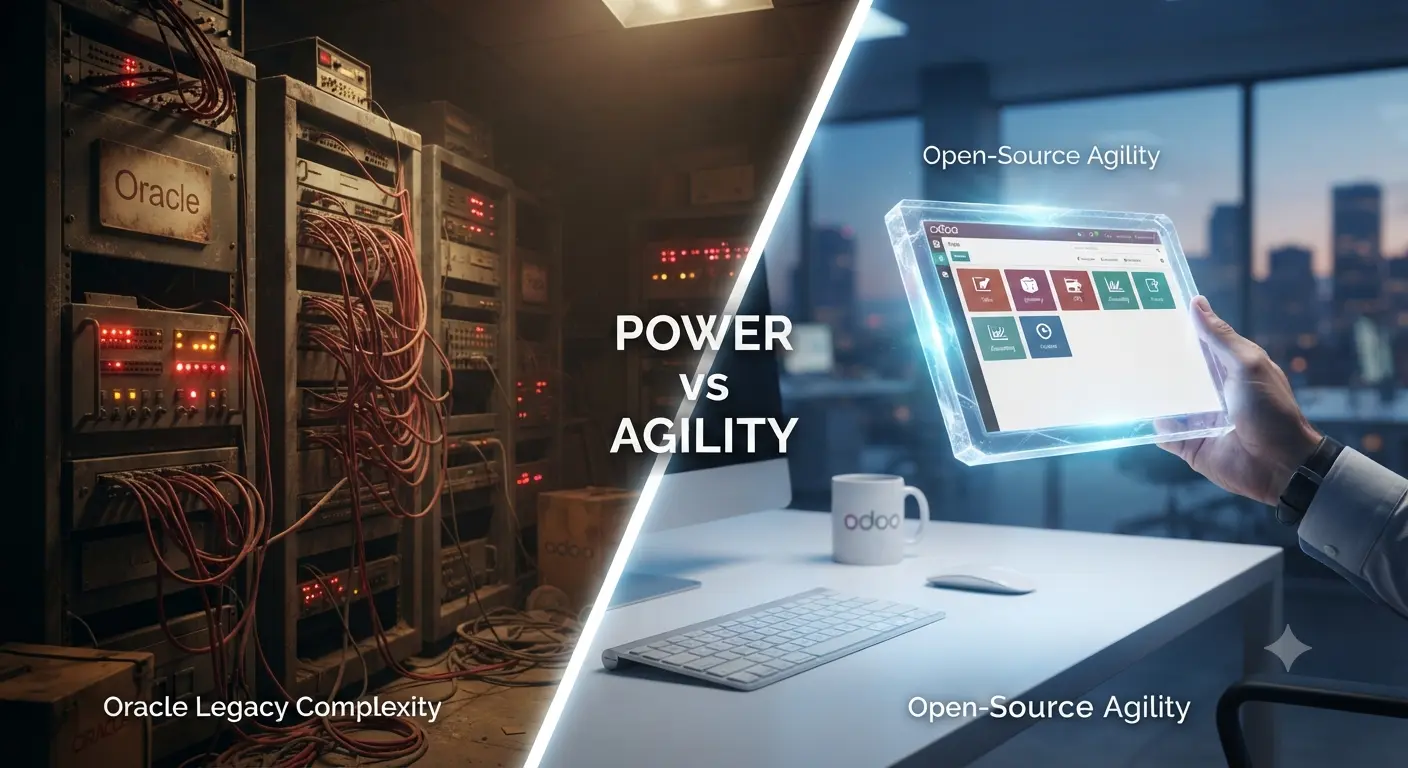
πŸ‘‰ Odoo focuses on flexibility and cost-efficiency, while SAP Business One emphasizes stability and structured enterprise workflows.


Pricing Comparison (2026)

Odoo Pricing:

  • Free community version available
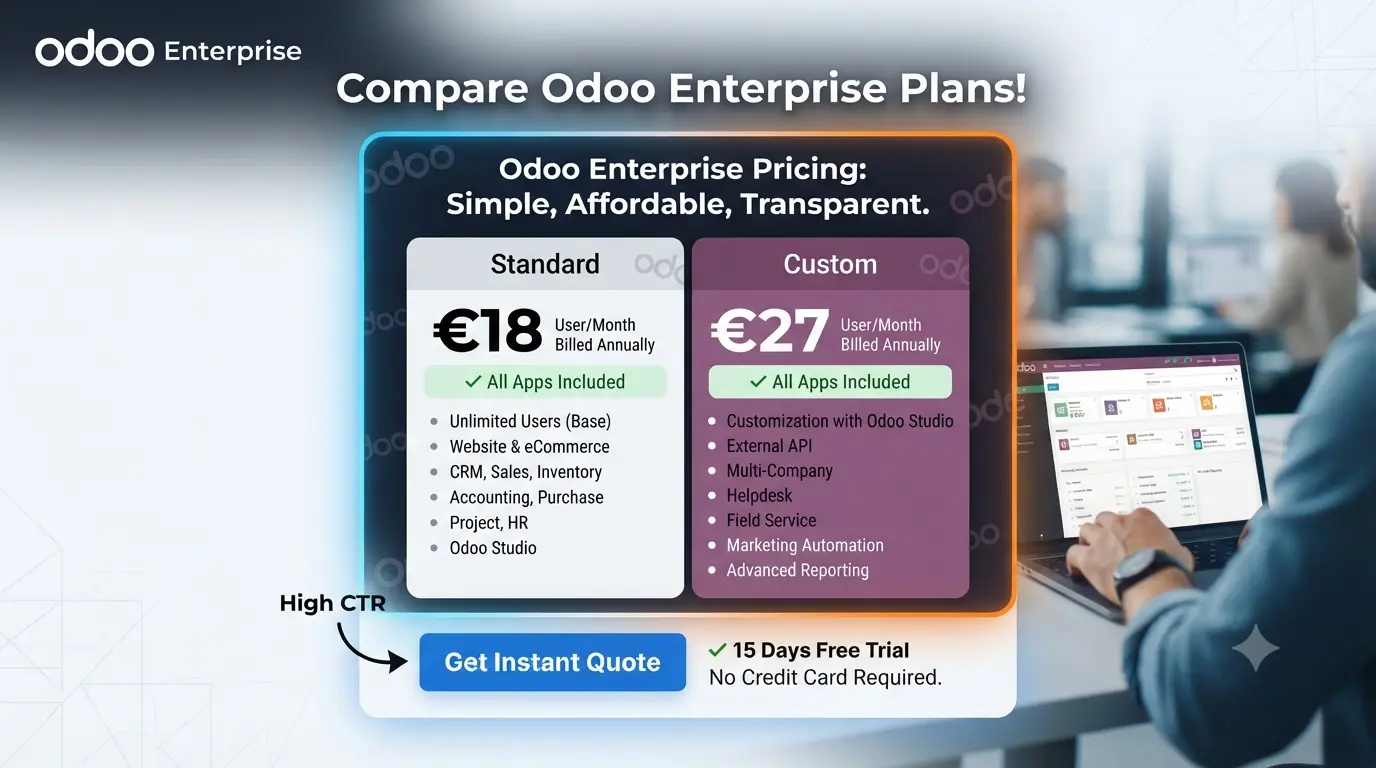
  • Paid version: ~$20–$70 per user/month
  • Implementation: ~$5,000–$30,000

SAP Business One Pricing:

  • $95–$250 per user/month (cloud)
  • Implementation: $15,000–$150,000
  • Annual support: ~18% of license cost

πŸ’‘ Real Insight: First-year ERP cost can range from $7,000 to $100,000+ depending on system complexity and users. :contentReference[oaicite:0]{index=0}

πŸ’‘ ROI Insight: Odoo has lower entry cost, but SAP Business One may deliver better ROI for structured operations and compliance-heavy industries.

πŸ’‘ Hidden Cost Insight:

  • Customization and integrations
  • Training and onboarding
  • Data migration

πŸ‘‰ These costs can be 2–5x higher than the software subscription itself.


Pros and Cons

Odoo Pros:

  • Affordable pricing
  • Highly customizable
  • Large app ecosystem

Odoo Cons:

  • Costs increase with scaling
  • Requires technical setup

SAP Business One Pros:

  • Enterprise-grade reliability
  • Strong financial management
  • Proven scalability for SMBs

SAP Business One Cons:

  • Higher upfront cost
  • Complex implementation

Comparison Table

Feature Odoo SAP Business One
Pricing Low β†’ Medium Medium β†’ High
Cost Model Flexible / Modular License-based
Implementation Simple β†’ Moderate Complex
Scalability High High
Best For SMBs & startups Growing enterprises

Use Cases

  • Startups: Odoo for low cost and flexibility.
  • SMBs: SAP Business One for structured operations.
  • Growing companies: Odoo for scalability or SAP for stability.

Real-World Scenario

A startup may choose Odoo to minimize costs and scale gradually.

A manufacturing company may choose SAP Business One for better financial control and reporting.

πŸ‘‰ Insight: ERP choice should align with operational complexity, not just budget.


Scalability & Performance

  • Odoo: Scales through modular apps.
  • SAP Business One: Scales through structured enterprise architecture.

πŸ‘‰ Both systems scale well, but SAP provides more structured growth.


Hidden Costs You Should Know

  • Implementation services
  • Customization
  • Maintenance and upgrades

πŸ‘‰ ERP software cost is often only 20–40% of total investment.


Which Should You Choose?

  • Choose Odoo if: you want flexibility and lower cost.
  • Choose SAP Business One if: you need enterprise-level processes and stability.

πŸ‘‰ This is a long-term infrastructure decision, not just software selection.


Final Recommendation

In 2026, Odoo is the best choice for businesses prioritizing cost-efficiency and flexibility, while SAP Business One is better suited for companies requiring structured operations and enterprise-grade reliability.


Conclusion

When comparing Odoo vs SAP Business One pricing, the right choice depends on your business size, budget, and operational complexity. Both platforms offer strong ROI when aligned with business needs.

Tags: odoo vs sap business one pricing, erp pricing comparison, sap business one cost, odoo pricing 2026, erp software comparison

Best Cloud ERP Systems (2026): Top Platforms Compared for Businesses

Best Cloud ERP

Best Cloud ERP Systems

Quick Verdict

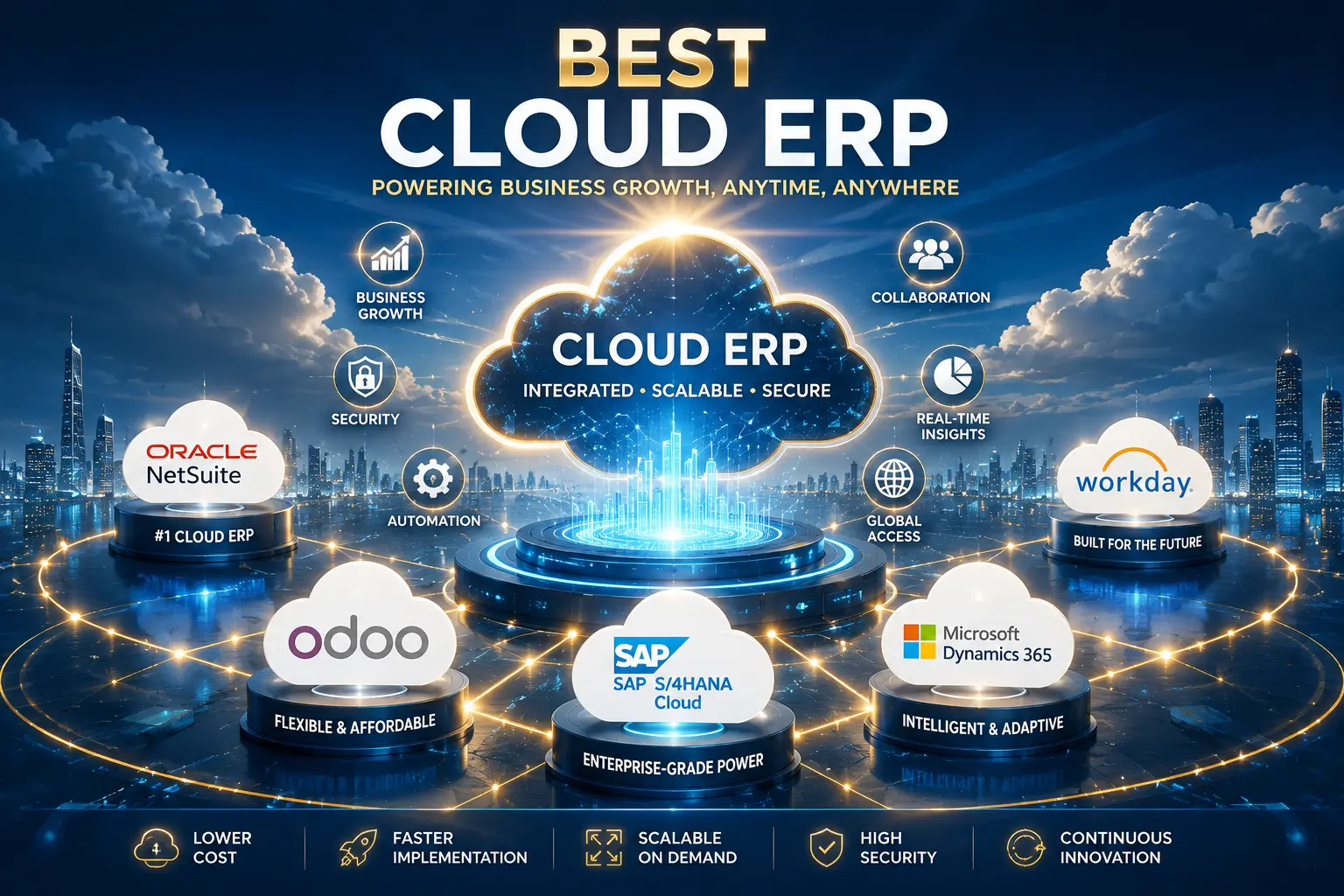
If you want flexibility and scalability β†’ Odoo is the best cloud ERP overall.

If you need a premium enterprise solution β†’ NetSuite is the top choice.

If you want deep enterprise customization β†’ SAP S/4HANA Cloud is ideal.

πŸ‘‰ The best cloud ERP depends on your business size, budget, and growth strategy.


Introduction

Cloud ERP systems have become the backbone of modern businesses in 2026. Companies are rapidly moving away from on-premise solutions toward cloud-based platforms that offer scalability, flexibility, and lower infrastructure costs.

Choosing the best cloud ERP system is not just about featuresβ€”it’s about long-term ROI, performance, and adaptability in a competitive market.


Core Differences

Cloud ERP systems differ in architecture, pricing models, and target users.

  • Odoo: Modular cloud ERP with flexible pricing and scalability.
  • NetSuite: Fully integrated cloud ERP for growing and mid-sized businesses.
  • SAP S/4HANA Cloud: Enterprise-grade ERP with advanced capabilities.
  • Microsoft Dynamics 365: Strong integration with Microsoft ecosystem.
  • Oracle Cloud ERP: High-performance cloud ERP for enterprises.

πŸ‘‰ Businesses should focus on scalability, ease of integration, and long-term cost efficiency.


Pricing Comparison (2026)

Cloud ERP pricing varies significantly depending on features and scale.

Odoo Pricing: Free community version with optional paid apps.

NetSuite Pricing: Subscription-based with higher entry cost.

SAP Cloud Pricing: Premium enterprise pricing with complex structure.

Microsoft Dynamics 365 Pricing: Subscription-based with modular pricing.

Oracle Cloud ERP Pricing: Subscription-based with enterprise-level costs.

πŸ’‘ ROI Insight: Cloud ERP reduces infrastructure costs and improves efficiency, resulting in faster ROI compared to on-premise systems.

πŸ’‘ Hidden Cost Insight: Implementation, customization, and integration costs can significantly increase total investment.


Pros and Cons

Odoo Pros:

  • Highly flexible and customizable
  • Affordable starting cost
  • Large app ecosystem

Odoo Cons:

  • Costs increase with scaling
  • Requires configuration

NetSuite Pros:

  • Fully integrated cloud ERP
  • Strong financial management
  • Scalable for growth

NetSuite Cons:

  • High cost
  • Requires implementation partner

SAP Cloud Pros:

  • Enterprise-grade capabilities
  • Deep customization
  • Strong industry solutions

SAP Cloud Cons:

  • Very expensive
  • Complex implementation

Microsoft Dynamics 365 Pros:

  • Seamless integration with Microsoft tools
  • Flexible pricing model
  • Strong business applications

Microsoft Dynamics 365 Cons:

  • Complex licensing
  • Customization required for advanced use

Oracle Cloud ERP Pros:

  • High performance and scalability
  • Strong analytics capabilities
  • Enterprise-ready

Oracle Cloud ERP Cons:

  • Premium pricing
  • Requires expert implementation

Comparison Table

ERP Pricing Ease of Use Scalability Best For
Odoo Low β†’ Medium High High SMBs & startups
NetSuite High High Very High Growing businesses
SAP Cloud Very High Moderate Very High Enterprises
Dynamics 365 Medium β†’ High High High Microsoft users
Oracle Cloud ERP High Moderate Very High Large enterprises

Use Cases

  • Startups: Odoo for flexibility and low cost.
  • Growing companies: NetSuite or Dynamics 365.
  • Large enterprises: SAP Cloud or Oracle ERP.

Real-World Example

A startup may choose Odoo to build operations with minimal cost and scale gradually.

A mid-sized company may adopt NetSuite to unify operations and improve efficiency.

A global enterprise may implement SAP Cloud to manage complex workflows and compliance.

πŸ‘‰ Insight: The best cloud ERP evolves with your business growth.


Scalability & Performance

Cloud ERP systems are designed for scalability and performance.

  • Odoo: Scales through modular apps.
  • NetSuite: Scales through unified cloud architecture.
  • SAP Cloud: Handles large enterprise workloads.
  • Dynamics 365: Scales with Microsoft ecosystem.
  • Oracle Cloud ERP: Optimized for high-performance operations.

πŸ‘‰ Choosing a scalable ERP prevents costly migrations in the future.


Hidden Costs You Should Know

Cloud ERP systems come with hidden costs that businesses often overlook.

  • Implementation and onboarding
  • Customization and integration
  • Training and support

πŸ‘‰ These costs directly impact total cost of ownership (TCO).


Future Trends in Cloud ERP

Cloud ERP is evolving rapidly in 2026.

  • AI-powered automation
  • Real-time analytics
  • Subscription-based pricing dominance

πŸ‘‰ Businesses adopting modern cloud ERP gain a competitive advantage.


Which Should You Choose?

  • Choose Odoo if: you want flexibility and affordability.
  • Choose NetSuite if: you need a complete cloud ERP.
  • Choose SAP Cloud if: you need enterprise-level power.
  • Choose Dynamics 365 if: you rely on Microsoft tools.
  • Choose Oracle ERP if: you need high-performance enterprise systems.

πŸ‘‰ ERP selection is a strategic decision that impacts long-term growth.

Frequently Asked Questions (FAQ)

1. Why should my enterprise choose a cloud-based ERP over an on-premise solution in 2026? Cloud ERP solutions provide superior scalability, lower total cost of ownership (TCO) by eliminating complex hardware maintenance, and seamless access to AI-driven predictive insights. For modern enterprises, cloud-native platforms are essential for maintaining agility in a competitive global market.

2. Which ERP system is best for a high-growth company scaling internationally? There is no “one-size-fits-all” solution, but leading platforms like SAP S/4HANA, Odoo Enterprise, and Oracle NetSuite are top contenders for global scaling. When choosing, prioritize systems that offer multi-entity support, robust regulatory compliance, and native interoperability with your existing tech stack.

3. How does PT Dominasi Serp Indonesia assess the ROI of an ERP implementation? We evaluate ROI by auditing your digital infrastructure to identify operational bottlenecks and hidden costs. Our assessment focuses on how well an ERP improves workflow automation, inventory synchronization, and data accuracyβ€”all of which are critical for maximizing your long-term business performance.

4. Is it necessary to integrate my ERP with other business tools like CRM or e-commerce platforms? Yes, integration is critical. For instance, linking your ERP with platforms like Shopify allows for real-time inventory synchronization and automated order fulfillment. A seamless digital foundation ensures your infrastructure supports high-volume transactions without sacrificing data integrity.

5. How do I start a migration roadmap to a modern ERP system? A successful migration requires a robust technical strategy that prioritizes data integrity and performance. We recommend starting with a detailed architecture audit to mitigate risks, followed by a phased transition to ensure sub-second performance and minimized operational downtime during the shift from legacy systems.


Final Recommendation

In 2026, Odoo remains the best cloud ERP for most businesses due to its flexibility and cost efficiency, while NetSuite and SAP Cloud dominate in enterprise environments.


Conclusion

The best cloud ERP system depends on your business size, budget, and growth strategy. Choosing the right platform ensures long-term efficiency and scalability.

Best ERP for Small Business (2026): Top Systems Compared & Reviewed

Best ERP for Small Business

Quick Verdict

If you want flexibility and affordability β†’ Odoo is the best ERP for small businesses.

If you need an all-in-one cloud ERP with strong financial tools β†’ NetSuite is a top choice.

If you prefer a fully open-source solution β†’ ERPNext is ideal.

πŸ‘‰ The best ERP depends on your budget, technical expertise, and growth plans.


Introduction

Choosing the best ERP for small business in 2026 is a critical decision that directly impacts efficiency, scalability, and profitability. Small businesses today require systems that are flexible, cost-effective, and easy to implement.

Modern ERP platforms have evolved significantly, offering cloud-based solutions, modular systems, and AI-driven automation. However, selecting the right ERP requires understanding the differences between platforms and their long-term value.


Core Differences

ERP systems differ based on pricing models, flexibility, scalability, and ease of use.

  • Odoo: Modular ERP with flexible pricing and a large app ecosystem.
  • NetSuite: Cloud-native ERP designed for growing businesses.
  • ERPNext: Open-source ERP with no licensing costs.
  • Zoho ERP: Affordable cloud solution with strong integration capabilities.

πŸ‘‰ Small businesses should prioritize simplicity, affordability, and scalability when choosing an ERP system.


Pricing Comparison (2026)

Pricing is one of the most important factors for small businesses.

Odoo Pricing: Free community version with paid enterprise apps.

NetSuite Pricing: Subscription-based with higher entry cost.

ERPNext Pricing: Fully open-source, with optional hosting costs.

Zoho ERP Pricing: Affordable subscription model.

πŸ’‘ ROI Insight: Lower upfront cost does not always mean better ROI. Systems like NetSuite may offer higher efficiency and automation, leading to long-term gains.

πŸ’‘ Hidden Cost Insight: Implementation, customization, and training costs can exceed software costs.


Pros and Cons

Odoo Pros:

  • Highly flexible and customizable
  • Large app ecosystem
  • Affordable starting cost

Odoo Cons:

  • Costs increase with additional apps
  • Requires technical setup

NetSuite Pros:

  • All-in-one ERP system
  • Strong financial management tools
  • Scalable for growth

NetSuite Cons:

  • High cost
  • Requires implementation partner

ERPNext Pros:

  • Open-source and free
  • Full data control
  • Simpler implementation

ERPNext Cons:

  • Limited ecosystem
  • Less polished UI

Zoho ERP Pros:

  • Affordable pricing
  • Easy to use
  • Strong integrations

Zoho ERP Cons:

  • Limited advanced features
  • Less suitable for large-scale operations

Comparison Table

ERP Pricing Ease of Use Scalability Best For
Odoo Low β†’ Medium High High Growing SMBs
NetSuite High High Very High Scaling businesses
ERPNext Free Moderate Medium Tech-savvy startups
Zoho ERP Low Very High Medium Small teams

Use Cases

  • Startups: ERPNext or Zoho ERP for cost efficiency.
  • Growing businesses: Odoo for flexibility and scalability.
  • Scaling companies: NetSuite for integrated operations.

Real-World Example

A small eCommerce startup may choose Zoho ERP to manage operations with minimal cost.

A growing company may choose Odoo to scale operations using modular apps.

A rapidly expanding business may adopt NetSuite to unify financial and operational data.

πŸ‘‰ Insight: The best ERP evolves as your business grows.


Scalability & Performance

Small businesses must choose ERP systems that can grow with them.

  • Odoo: Highly scalable with modular architecture.
  • NetSuite: Built for high-growth companies.
  • ERPNext: Scalable with technical customization.
  • Zoho ERP: Limited scalability for larger enterprises.

πŸ‘‰ Choosing a scalable ERP prevents costly migrations in the future.


Hidden Costs You Should Know

ERP costs extend beyond subscription fees.

  • Implementation and onboarding
  • Customization and development
  • Training and support

πŸ‘‰ These costs can significantly affect ROI.


Future Trends in ERP for Small Businesses

ERP systems are rapidly evolving in 2026.

  • Cloud-first ERP adoption
  • AI-powered automation
  • Subscription-based pricing models

πŸ‘‰ Businesses that adopt modern ERP systems gain a competitive advantage.


Which Should You Choose?

  • Choose Odoo if: you want flexibility and scalability.
  • Choose NetSuite if: you need an all-in-one enterprise solution.
  • Choose ERPNext if: you want a free open-source ERP.
  • Choose Zoho ERP if: you want simplicity and affordability.

πŸ‘‰ Your ERP choice should align with your long-term growth strategy.


Final Recommendation

In 2026, Odoo is the best overall ERP for small businesses due to its flexibility and scalability. However, the best solution depends on your specific needs, budget, and technical capabilities.


Conclusion

The best ERP for small business is not a one-size-fits-all solution. Businesses must evaluate pricing, scalability, and ROI before making a decision.

Tags: best erp for small business 2026, erp comparison, small business erp software, cloud erp systems, erp pricing comparison

Oracle ERP vs SAP Cost (2026)

Oracle ERP vs SAP Cost

Quick Verdict

If you need predictable cloud-based pricing β†’ Oracle ERP is the better choice.

If you require deep customization and enterprise-grade flexibility β†’ SAP is worth the higher cost.

πŸ‘‰ The right decision depends on your budget, complexity of operations, and long-term ROI expectations.


Introduction

In 2026, ERP cost is no longer just about software pricingβ€”it’s about total cost of ownership (TCO). Businesses evaluating Oracle ERP vs SAP must consider licensing, implementation, customization, and long-term operational expenses.

Both Oracle ERP and SAP are enterprise-grade solutions used by global organizations. However, their pricing models and cost structures differ significantly, making it essential to understand where your money actually goes.


Core Differences

  • Oracle ERP: Cloud-native ERP with subscription-based pricing and predictable cost structure.
  • SAP: Enterprise ERP with flexible deployment (cloud + on-premise) and highly customizable pricing.

πŸ‘‰ Oracle focuses on simplicity and cloud efficiency, while SAP prioritizes deep customization and enterprise complexity.


Pricing Comparison (2026)

Oracle ERP Pricing: Typically subscription-based, charged per user per month with additional costs for advanced modules and integrations.

SAP Pricing: Includes licensing fees, infrastructure costs (for on-premise setups), and extensive implementation services.

πŸ’‘ ROI Insight: Oracle ERP delivers faster ROI due to lower implementation complexity, while SAP provides higher long-term ROI for enterprises with complex processes.

πŸ’‘ Hidden Cost Insight: ERP implementations can cost 2–5x the initial software price due to consulting, customization, and training.

Detailed Cost Breakdown

Understanding ERP cost requires analyzing multiple layers beyond software pricing.

Oracle ERP:

  • Subscription fees (monthly/yearly)
  • Implementation and onboarding
  • Integration with third-party systems
  • Support and maintenance

SAP:

  • Software licensing
  • Infrastructure and hardware (if on-premise)
  • Consulting and implementation services
  • Ongoing maintenance and upgrades

πŸ‘‰ Key Insight: Oracle ERP offers more predictable costs, while SAP requires significant upfront investment but allows deeper customization.


Pros and Cons

Oracle ERP Pros:

  • Predictable subscription pricing
  • Faster implementation
  • Strong cloud-native architecture

Oracle ERP Cons:

  • Less flexibility for highly complex operations
  • Costs increase with additional modules

SAP Pros:

  • Highly customizable for enterprise needs
  • Strong industry-specific solutions
  • Scalable for global operations

SAP Cons:

  • Very high upfront cost
  • Long implementation timeline
  • Requires specialized consultants

Comparison Table

Feature Oracle ERP SAP
Pricing Model Subscription License + Implementation
Entry Cost Moderate Very High
Implementation Time Faster Long
Scalability High Very High
Customization Moderate Very High

Use Cases

  • Oracle ERP: Ideal for businesses seeking predictable costs and cloud-based scalability.
  • SAP: Best for large enterprises with complex workflows and global operations.

Real-World Example

A mid-sized enterprise moving to the cloud may choose Oracle ERP to reduce infrastructure costs and speed up deployment.

A multinational corporation with complex supply chains may choose SAP for its deep customization and advanced capabilities.

πŸ‘‰ Insight: Oracle ERP prioritizes efficiency, while SAP prioritizes control and customization.


Scalability & Performance

Both ERP systems are designed for scalability but approach it differently.

  • Oracle ERP: Scales efficiently in cloud environments with minimal infrastructure concerns.
  • SAP: Handles extremely complex enterprise workloads with high performance.

πŸ‘‰ SAP is better for extreme complexity, while Oracle ERP excels in cloud scalability.


Hidden Fees You Should Know

Many businesses underestimate ERP costs due to hidden fees.

  • Implementation and consulting services
  • Customization and integration
  • Training and onboarding
  • Maintenance and upgrades

πŸ‘‰ These hidden costs can significantly increase total ERP investment.


Future Trends in ERP Cost (2026 and Beyond)

ERP pricing models are evolving with new technologies.

  • Shift toward subscription-based pricing
  • AI-driven automation reducing operational costs
  • Cloud-first ERP adoption

πŸ‘‰ Oracle leads in cloud pricing innovation, while SAP continues to dominate enterprise customization.


Which Should You Choose?

  • Choose Oracle ERP if: you want predictable costs and faster implementation.
  • Choose SAP if: you need deep customization and enterprise-scale solutions.

πŸ‘‰ ERP selection is a long-term financial and strategic decision.


Final Recommendation

In 2026, Oracle ERP is the best choice for businesses seeking cost efficiency and cloud scalability, while SAP is ideal for enterprises requiring maximum customization and control.


Conclusion

Oracle ERP and SAP offer powerful ERP solutions with different cost structures. Understanding total cost of ownership is essential to making the right decision for your business.

Tags: oracle erp vs sap cost, sap pricing 2026, oracle erp pricing, erp cost comparison, enterprise erp roi

SAP vs NetSuite Pricing (2026): Enterprise Cost & Value Comparison

SAP vs NetSuite Pricing

Quick Verdict

If you run a large enterprise with complex operations β†’ SAP is the better long-term investment.

If you want a faster, cloud-first ERP with predictable pricing β†’ NetSuite is the winner.

πŸ‘‰ The right choice depends on your budget, implementation capacity, and scalability requirements.


Introduction

ERP pricing in 2026 is more complex than ever. Businesses must evaluate not only subscription costs but also implementation, customization, and long-term ROI. SAP and NetSuite are two of the most powerful ERP solutions, but their pricing models differ significantly.

SAP is known for enterprise-grade complexity and customization, while NetSuite offers a cloud-native approach with more predictable pricing structures.


Core Differences

  • SAP: Enterprise ERP system with high customization and complex pricing structure.
  • NetSuite: Cloud-native ERP with subscription-based pricing and unified platform.

πŸ‘‰ SAP focuses on deep enterprise functionality, while NetSuite emphasizes simplicity and cloud scalability.


Pricing Comparison (2026)

SAP Pricing: Typically involves licensing fees, infrastructure costs, and extensive implementation services. Pricing can vary widely depending on company size and requirements.

NetSuite Pricing: Subscription-based model including base license, user fees, and additional modules.

πŸ’‘ ROI Insight: SAP provides strong ROI for large enterprises with complex processes, while NetSuite offers faster ROI due to lower implementation time and cloud deployment.

πŸ’‘ Hidden Cost Insight: ERP projects often cost 2–5x more than the initial software due to implementation and customization.

Detailed Pricing Breakdown

Understanding total ERP cost requires analyzing multiple components.

SAP: Includes licensing, hardware/infrastructure, consulting, and ongoing maintenance. Often requires a long-term commitment.

NetSuite: Includes subscription fees, implementation services, and optional customization.

πŸ‘‰ Key Insight: SAP has higher upfront costs but greater flexibility, while NetSuite offers predictable pricing with faster deployment.


Pros and Cons

SAP Pros:

  • Highly customizable for complex enterprises
  • Strong industry-specific solutions
  • Scalable for global operations

SAP Cons:

  • Very high implementation cost
  • Long deployment time
  • Requires experienced consultants

NetSuite Pros:

  • Cloud-native and easy to deploy
  • Predictable subscription pricing
  • Unified ERP platform

NetSuite Cons:

  • Less flexibility compared to SAP
  • Costs increase with scaling

Comparison Table

Feature SAP NetSuite
Pricing Model License + Implementation Subscription
Entry Cost Very High High
Scalability Very High High
Deployment Time Long Faster

Use Cases

  • SAP: Best for large enterprises with complex workflows and global operations.
  • NetSuite: Ideal for growing businesses seeking a cloud-based ERP solution.

Real-World Example

A multinational manufacturing company may choose SAP to manage complex supply chains and compliance requirements.

A fast-growing SaaS company may prefer NetSuite for its cloud flexibility and faster implementation.

πŸ‘‰ Insight: SAP suits complexity, while NetSuite suits agility.


Scalability & Performance

Both ERP systems offer strong scalability but differ in approach.

  • SAP: Designed for large-scale enterprise data processing.
  • NetSuite: Built for scalable cloud-based operations.

πŸ‘‰ SAP dominates in enterprise complexity, while NetSuite excels in cloud scalability.


Hidden Costs You Should Know

Many businesses underestimate ERP costs.

  • Implementation and onboarding
  • Customization and integration
  • Maintenance and upgrades

πŸ‘‰ These hidden costs significantly impact total cost of ownership (TCO).


Future Trends in ERP Pricing

ERP pricing models are evolving rapidly in 2026.

  • Shift toward subscription-based pricing
  • AI-driven automation reducing operational costs
  • Cloud-first ERP adoption

πŸ‘‰ NetSuite leads in cloud pricing models, while SAP continues to dominate enterprise-scale solutions.


Which Should You Choose?

  • Choose SAP if: you need deep customization and enterprise-scale operations.
  • Choose NetSuite if: you want predictable pricing and faster deployment.

πŸ‘‰ ERP selection is a strategic investment that affects long-term business performance.


Final Recommendation

In 2026, SAP is ideal for large enterprises requiring advanced customization, while NetSuite is better suited for companies prioritizing cloud flexibility and predictable costs.


Conclusion

SAP and NetSuite offer powerful ERP solutions with different pricing philosophies. The best choice depends on your business size, budget, and long-term goals.

Tags: sap vs netsuite pricing, erp cost comparison, netsuite pricing 2026, sap pricing, erp roi analysis

Odoo vs NetSuite Pricing (2026): Cost Comparison & ROI Breakdown

Odoo vs NetSuite Pricing

Quick Verdict

If you want a low-cost, flexible ERP β†’ Odoo is the better choice.

If you need a premium, all-in-one cloud ERP β†’ NetSuite is the winner.

πŸ‘‰ The best option depends on your budget, scalability goals, and business complexity.


Introduction

In 2026, ERP pricing is one of the most critical factors for businesses choosing a system. Odoo and NetSuite represent two very different pricing philosophiesβ€”one flexible and modular, the other premium and fully integrated.

Understanding their true cost requires more than comparing subscription fees. Businesses must consider implementation, customization, and long-term ROI.


Core Differences

  • Odoo: Modular ERP with free community version and paid enterprise apps.
  • NetSuite: Fully integrated cloud ERP with subscription-based pricing.

πŸ‘‰ Odoo offers flexibility and lower entry cost, while NetSuite provides a complete enterprise solution.


Pricing Comparison (2026)

Odoo Pricing: Offers a free community version. Paid plans depend on the number of apps and users. Businesses can start small and scale gradually.

NetSuite Pricing: Requires a base license plus per-user fees and optional modules. Costs can be significantly higher than Odoo.

πŸ’‘ ROI Insight: Odoo delivers strong ROI for small to mid-sized businesses due to its low entry cost, while NetSuite provides higher ROI for companies needing a fully integrated system.

πŸ’‘ Hidden Cost Insight: ERP implementation costs often exceed software costs by 2–5x.

Detailed Pricing Breakdown

ERP pricing includes multiple layers beyond subscriptions.

Odoo: Costs include hosting, premium apps, customization, and developer support if needed.

NetSuite: Includes licensing, implementation, integration, and ongoing support.

πŸ‘‰ Key Insight: Odoo is cost-efficient for startups, while NetSuite requires a larger investment but reduces system fragmentation.

⚑ DMS Global Amazon Authority 2026:

Amazon Product Authority & E-E-A-T Summary

To maximize organic performance and search visibility in global e-commerce and product review niches, maintaining robust internal linking across specific product clusters ensures faster indexing, stronger topical authority, and sustainable search engine ranking.


Pros and Cons

Odoo Pros:

  • Low starting cost
  • Highly flexible and customizable
  • Large app ecosystem

Odoo Cons:

  • Costs increase as apps are added
  • Requires technical setup for customization

NetSuite Pros:

  • Fully integrated ERP system
  • Strong financial management tools
  • Scalable for enterprise growth

NetSuite Cons:

  • High cost
  • Requires implementation partners
  • Less flexible pricing

Comparison Table

Feature Odoo NetSuite
Pricing Model Free + Paid Apps Subscription
Entry Cost Low High
Scalability High Very High
Customization High Moderate

Use Cases

  • Odoo: Ideal for startups and growing businesses with limited budgets.
  • NetSuite: Best for mid-to-large enterprises requiring a unified ERP system.

Real-World Example

A startup with limited capital may choose Odoo to minimize costs while building a scalable system.

A mid-sized enterprise may choose NetSuite to unify operations and reduce reliance on multiple tools.

πŸ‘‰ Insight: Odoo is budget-friendly, while NetSuite is efficiency-focused.


Scalability & Performance

Both ERP systems scale effectively but in different ways.

  • Odoo: Scales through additional apps and customization.
  • NetSuite: Scales through its unified cloud architecture.

πŸ‘‰ NetSuite is better for enterprise-scale operations, while Odoo excels in flexibility.


Hidden Costs You Should Know

ERP pricing often includes hidden costs that businesses overlook:

  • Implementation and onboarding
  • Customization and development
  • Maintenance and upgrades

πŸ‘‰ These costs can significantly impact long-term ROI.


Future Trends in ERP Pricing

ERP pricing models are evolving rapidly.

  • Subscription-based pricing dominance
  • AI-driven automation reducing operational costs
  • Cloud-first ERP adoption

πŸ‘‰ Odoo is becoming more enterprise-focused, while NetSuite continues to dominate premium cloud ERP.


Which Should You Choose?

  • Choose Odoo if: you want affordability and flexibility.
  • Choose NetSuite if: you need a fully integrated enterprise ERP.

πŸ‘‰ This is a long-term financial decision that affects your entire business infrastructure.


Final Recommendation

In 2026, Odoo is the best choice for cost-conscious businesses, while NetSuite is ideal for companies seeking a premium, all-in-one ERP solution.


Conclusion

Odoo and NetSuite represent two different approaches to ERP pricing. The right choice depends on your budget, business needs, and long-term strategy.

NetSuite vs Dynamics 365 (2026): Cloud ERP Comparison & ROI Analysis

NetSuite vs Dynamics 365

NetSuite vs Dynamics 365

Quick Verdict

If you want a fully integrated cloud ERP built from the ground up β†’ NetSuite is the better choice.

If you prefer flexibility, modular apps, and Microsoft ecosystem integration β†’ Dynamics 365 is the winner.

πŸ‘‰ The best option depends on your business size, scalability needs, and existing tech stack.


Introduction

In 2026, cloud ERP systems have become essential for businesses aiming to scale efficiently and stay competitive. NetSuite and Microsoft Dynamics 365 are two of the most widely adopted cloud ERP platforms globally.

Both solutions offer advanced capabilities such as automation, real-time analytics, and cloud scalability. However, they differ significantly in architecture, pricing models, and long-term ROI.


Core Differences

  • NetSuite: A true cloud-native ERP system developed by Oracle, designed for unified business management across finance, CRM, and operations.
  • Dynamics 365: A modular ERP and CRM platform integrated with Microsoft tools like Azure, Office 365, and Power BI.

πŸ‘‰ NetSuite provides a single unified platform, while Dynamics 365 offers flexibility through modular applications.


Pricing Comparison (2026)

NetSuite Pricing: Subscription-based, typically involving a base license plus per-user costs and additional modules. Pricing can scale significantly as businesses grow.

Dynamics 365 Pricing: Modular pricing structure where businesses pay per app and per user, making it easier to control initial costs.

πŸ’‘ ROI Insight: NetSuite delivers strong ROI for companies seeking a unified system with minimal integration needs, while Dynamics 365 provides faster ROI for businesses leveraging existing Microsoft tools.

πŸ’‘ Hidden Cost Insight: Implementation, customization, and integration costs can increase total ERP expenses by 2–5x.

Detailed Pricing Breakdown

Understanding ERP pricing requires analyzing both direct and indirect costs.

NetSuite: Includes subscription fees, implementation services, customization, and ongoing support. It is often positioned as a premium cloud ERP.

Dynamics 365: Offers predictable pricing but may require additional costs for integrations and advanced modules.

πŸ‘‰ Key Insight: NetSuite has higher upfront costs but reduces integration complexity, while Dynamics 365 allows more flexible cost management.


Pros and Cons

NetSuite Pros:

  • Fully integrated cloud ERP system
  • Strong financial management capabilities
  • Scalable for growing businesses

NetSuite Cons:

  • Higher cost compared to alternatives
  • Less flexibility in customization
  • Requires implementation partners

Dynamics 365 Pros:

  • Flexible and modular architecture
  • Seamless integration with Microsoft ecosystem
  • User-friendly interface

Dynamics 365 Cons:

  • May require multiple apps for full functionality
  • Costs can increase as modules are added

Comparison Table

Feature NetSuite Dynamics 365
Deployment Cloud-native Cloud-first
Pricing Subscription (premium) Modular subscription
Scalability High High
Ease of Use Moderate High
Best For Unified ERP needs Flexible business operations

Use Cases

  • NetSuite: Ideal for companies that want a single, integrated ERP system without relying on multiple third-party tools.
  • Dynamics 365: Best for organizations already using Microsoft products and seeking modular flexibility.

Real-World Example

A fast-growing eCommerce company might choose NetSuite to manage inventory, finance, and CRM in one unified platform.

Meanwhile, a service-based business using Microsoft tools may prefer Dynamics 365 to integrate seamlessly with Office 365 and Power BI.

πŸ‘‰ Insight: NetSuite simplifies operations with one system, while Dynamics 365 adapts to existing workflows.


Scalability & Performance

Both platforms are designed to scale, but their approach differs.

  • NetSuite: Offers consistent performance through a unified cloud architecture.
  • Dynamics 365: Scales flexibly with cloud infrastructure and modular apps.

πŸ‘‰ NetSuite is better for centralized operations, while Dynamics 365 excels in flexible scaling.


Security & Data Control

Security is a critical factor in ERP selection.

  • NetSuite: Provides enterprise-grade security backed by Oracle infrastructure.
  • Dynamics 365: Leverages Microsoft Azure for robust security and compliance.

πŸ‘‰ Both systems offer strong security, but choice depends on ecosystem preference.


Future Trends in ERP (2026 and Beyond)

ERP systems are evolving with advanced technologies.

  • AI-driven automation
  • Cloud-first strategies
  • Integration with business intelligence tools

πŸ‘‰ NetSuite focuses on unified cloud innovation, while Dynamics 365 drives ecosystem-based growth.


Which Should You Choose?

  • Choose NetSuite if: you want a fully integrated, all-in-one cloud ERP.
  • Choose Dynamics 365 if: you need flexibility and Microsoft ecosystem integration.

πŸ‘‰ ERP selection is a long-term strategic decision that impacts your entire business infrastructure.


Final Recommendation

In 2026, NetSuite is the best choice for businesses seeking a unified ERP platform, while Dynamics 365 is ideal for organizations prioritizing flexibility and integration.


Conclusion

NetSuite and Dynamics 365 are both powerful ERP systems. The right choice depends on your business needs, budget, and long-term strategy.

Tags: netsuite vs dynamics 365, cloud erp comparison, netsuite pricing, dynamics 365 pricing, erp roi analysis

Oracle ERP vs Dynamics 365 (2026): Features, Pricing & Best Choice

Oracle ERP vs Dynamics 365

Oracle ERP vs Dynamics 365

Quick Verdict

If you want a powerful cloud-native ERP with strong financial capabilities β†’ Oracle ERP is the better choice.

If you prefer flexibility, ease of use, and deep Microsoft integration β†’ Dynamics 365 is the winner.

πŸ‘‰ The right choice depends on your business complexity, cloud strategy, and ecosystem preference.


Introduction

In 2026, ERP systems are no longer just back-office toolsβ€”they are strategic platforms driving digital transformation. Two leading solutions, Oracle ERP Cloud and Microsoft Dynamics 365, dominate the cloud ERP landscape.

Both platforms offer advanced capabilities, including AI-driven insights, automation, and scalable infrastructure. However, they differ in architecture, pricing models, and overall user experience.


Core Differences

  • Oracle ERP: A cloud-first enterprise system with strong financial management, automation, and analytics capabilities.
  • Dynamics 365: A flexible ERP and CRM platform integrated with Microsoft ecosystem tools like Azure, Office 365, and Power BI.

πŸ‘‰ Oracle focuses on deep financial control and enterprise performance, while Dynamics 365 emphasizes usability and integration.


Pricing Comparison (2026)

Oracle ERP Pricing: Subscription-based, typically higher than average ERP systems due to advanced features and enterprise-grade capabilities.

Dynamics 365 Pricing: Modular subscription pricing, allowing businesses to pay for only the features they need.

πŸ’‘ ROI Insight: Oracle ERP delivers high ROI for enterprises needing advanced analytics and financial control, while Dynamics 365 offers faster ROI due to lower initial costs and easier adoption.

πŸ’‘ Hidden Cost Insight: Implementation, customization, and training costs can significantly increase total ERP investment.

Detailed Pricing Breakdown

ERP pricing is more complex than monthly subscriptions.

Oracle ERP: Includes licensing, cloud hosting, integration, and enterprise support costs. It is often part of a long-term digital transformation strategy.

Dynamics 365: Charges per user and module, making it easier to scale gradually.

πŸ‘‰ Key Insight: Dynamics 365 offers more predictable costs, while Oracle ERP requires a higher upfront investment but delivers long-term value.


Pros and Cons

Oracle ERP Pros:

  • Advanced financial management tools
  • Strong AI and analytics capabilities
  • High scalability for large enterprises

Oracle ERP Cons:

  • Higher cost compared to competitors
  • Complex implementation process
  • Requires experienced IT teams

Dynamics 365 Pros:

  • User-friendly interface
  • Seamless Microsoft ecosystem integration
  • Flexible pricing model

Dynamics 365 Cons:

  • Less depth for highly complex financial operations
  • Costs increase with scaling and add-ons

Comparison Table

Feature Oracle ERP Dynamics 365
Deployment Cloud-native Cloud-first
Pricing Premium subscription Modular subscription
Scalability Very High High
Ease of Use Moderate High
Best For Large enterprises Mid-to-large businesses

Use Cases

  • Oracle ERP: Best for enterprises requiring advanced financial planning, global compliance, and complex reporting.
  • Dynamics 365: Ideal for businesses looking for flexibility, cloud scalability, and integration with Microsoft tools.

Real-World Example

A multinational corporation with complex financial operations may choose Oracle ERP for its advanced analytics and global compliance capabilities.

On the other hand, a growing SaaS company might adopt Dynamics 365 to streamline operations while leveraging Microsoft tools for productivity.

πŸ‘‰ Insight: The choice depends on operational complexity and ecosystem alignment.


Scalability & Performance

Both ERP systems are built to scale, but their approach differs.

  • Oracle ERP: Designed for handling massive enterprise workloads and financial data.
  • Dynamics 365: Scales efficiently in cloud environments with flexible infrastructure.

πŸ‘‰ Oracle ERP is better for high-complexity operations, while Dynamics 365 excels in flexible scaling.


Security & Data Control

Security is critical when choosing an ERP system.

  • Oracle ERP: Provides enterprise-grade security with advanced compliance features.
  • Dynamics 365: Offers strong security backed by Microsoft Azure infrastructure.

πŸ‘‰ Both systems are highly secure, but Oracle ERP provides deeper financial compliance capabilities.


Future Trends in ERP (2026 and Beyond)

ERP platforms are evolving with emerging technologies.

  • AI-driven automation and predictive analytics
  • Cloud-native architecture
  • Integration with business intelligence tools

πŸ‘‰ Oracle leads in enterprise analytics, while Dynamics 365 drives innovation in ecosystem integration.


Which Should You Choose?

  • Choose Oracle ERP if: you need advanced financial control and enterprise-grade capabilities.
  • Choose Dynamics 365 if: you want flexibility, faster deployment, and Microsoft ecosystem integration.

πŸ‘‰ ERP selection is a long-term strategic investment, not just a software decision.


Final Recommendation

In 2026, Oracle ERP is ideal for large enterprises with complex financial needs, while Dynamics 365 is better suited for businesses seeking flexibility and cloud-based scalability.


Conclusion

Both Oracle ERP and Dynamics 365 are powerful solutions. The best choice depends on your business size, budget, and long-term digital strategy.

Tags: oracle vs dynamics 365, oracle erp comparison, dynamics 365 pricing, cloud erp systems, enterprise erp solutions

SAP vs Dynamics 365 (2026): Enterprise ERP Comparison & Pricing Guide

SAP vs Dynamics 365

SAP vs Dynamics 365

Quick Verdict

If you run a large enterprise with complex operations β†’ SAP is the better choice.

If you want flexibility, cloud integration, and Microsoft ecosystem β†’ Dynamics 365 is the winner.

πŸ‘‰ The right choice depends on your business size, IT infrastructure, and long-term scalability goals.


Introduction

In 2026, enterprise ERP systems are evolving rapidly with cloud computing, AI integration, and automation. Two dominant playersβ€”SAP and Microsoft Dynamics 365β€”continue to lead the global ERP market.

While both platforms offer comprehensive business solutions, they target slightly different audiences. SAP is traditionally favored by large enterprises with complex operations, while Dynamics 365 appeals to businesses seeking flexibility and seamless integration with Microsoft products.


Core Differences

  • SAP: A highly robust ERP system designed for large-scale enterprises with complex workflows and global operations.
  • Dynamics 365: A cloud-first ERP and CRM platform integrated with Microsoft tools like Office 365, Azure, and Teams.

πŸ‘‰ SAP focuses on deep functionality and customization, while Dynamics 365 prioritizes usability and ecosystem integration.


Pricing Comparison (2026)

SAP Pricing: SAP typically involves high upfront costs, including licensing, implementation, and maintenance. Enterprise deployments can cost significantly depending on scale.

Dynamics 365 Pricing: Offers a subscription-based pricing model, making it more accessible for mid-sized businesses. Costs vary based on modules and users.

πŸ’‘ ROI Insight: SAP provides strong ROI for large enterprises due to its scalability and deep capabilities, while Dynamics 365 offers faster ROI through lower entry costs and quicker deployment.

πŸ’‘ Hidden Cost Insight: Implementation, customization, and consulting services can increase total ERP costs by 2–5x.

Detailed Pricing Breakdown

Understanding ERP pricing requires looking beyond subscription fees.

SAP: Includes licensing, infrastructure, consulting, and long-term maintenance costs. It is often a multi-year investment.

Dynamics 365: Charges per user per month, with additional costs for advanced modules and integrations.

πŸ‘‰ Key Insight: Dynamics 365 is generally more predictable in pricing, while SAP requires significant upfront planning and budget allocation.


Pros and Cons

SAP Pros:

  • Highly scalable for global enterprises
  • Deep industry-specific solutions
  • Strong data processing capabilities

SAP Cons:

  • High implementation cost
  • Complex setup and maintenance
  • Long deployment time

Dynamics 365 Pros:

  • Cloud-based and flexible
  • Seamless Microsoft integration
  • Faster deployment

Dynamics 365 Cons:

  • Less depth for highly complex enterprises
  • Costs can increase with scaling

Comparison Table

Feature SAP Dynamics 365
Deployment On-premise & Cloud Cloud-first
Pricing High upfront cost Subscription-based
Scalability Very High High
Ease of Use Complex User-friendly

Use Cases

  • SAP: Ideal for multinational corporations with complex supply chains and compliance requirements.
  • Dynamics 365: Best for mid-to-large businesses seeking flexibility and cloud-based operations.

Real-World Example

A global manufacturing company with multiple supply chains may choose SAP for its deep customization and data processing capabilities.

Meanwhile, a growing technology company might choose Dynamics 365 to leverage cloud flexibility and integration with Microsoft tools.

πŸ‘‰ Insight: The choice depends on operational complexity and IT ecosystem alignment.


Scalability & Performance

Both systems are highly scalable but designed differently.

  • SAP: Built for handling massive enterprise data and transactions.
  • Dynamics 365: Scales efficiently in cloud environments with flexible infrastructure.

πŸ‘‰ If your business operates globally at scale, SAP has an advantage.


Future Trends in ERP (2026 and Beyond)

ERP systems are rapidly evolving with emerging technologies.

  • AI-powered automation and analytics
  • Cloud-first deployments
  • Integration with business intelligence tools

πŸ‘‰ Dynamics 365 leads in cloud innovation, while SAP continues to dominate enterprise-scale systems.


Which Should You Choose?

  • Choose SAP if: you need deep functionality and enterprise-grade scalability.
  • Choose Dynamics 365 if: you want flexibility, faster deployment, and Microsoft integration.

πŸ‘‰ ERP selection is a long-term strategic decision, not just a software choice.


Final Recommendation

In 2026, SAP remains the best option for large enterprises with complex needs, while Dynamics 365 is ideal for businesses seeking agility and cloud-based operations.


Conclusion

SAP and Dynamics 365 are both powerful ERP platforms. The best choice depends on your business scale, budget, and digital transformation strategy.

Tags: sap vs dynamics 365, enterprise erp comparison, sap pricing 2026, dynamics 365 pricing, cloud erp systems

Odoo vs ERPNext (2026): Pricing, Features & Open Source ERP Comparison

Odoo vs ERPNext (2026) Pricing, Features & Open Source ERP Comparison

Odoo vs ERPNext

Quick Verdict

If you want flexibility and a large app ecosystem β†’ Odoo is the better choice.

If you prefer a fully open-source, developer-friendly ERP β†’ ERPNext is the winner.

πŸ‘‰ The right choice depends on your budget, customization needs, and technical expertise.


Introduction

In 2026, choosing the right ERP system is critical for business growth. Two popular open-source ERP platformsβ€”Odoo and ERPNextβ€”offer powerful tools for managing operations, finance, CRM, and more.

While both solutions are flexible and scalable, they differ significantly in pricing models, customization capabilities, and ease of use.


Core Differences

  • Odoo: Modular ERP with a massive app marketplace and both free and paid versions.
  • ERPNext: Fully open-source ERP with a simpler structure and built-in features.

Odoo acts more like a flexible platform, while ERPNext focuses on simplicity and transparency.


Pricing Comparison (2026)

Odoo Pricing: Offers a free community version, but most businesses choose the paid enterprise version. Pricing depends on apps and users.

ERPNext Pricing: Open-source and free to use, with optional hosting and support costs.

πŸ’‘ ROI Insight: While ERPNext has a lower upfront cost, Odoo may provide better long-term ROI due to its scalability and ecosystem.

πŸ’‘ Hidden Cost Insight: Implementation, customization, and training can cost 2–3x more than the software itself.


Pros and Cons

Odoo Pros:

  • Large app ecosystem
  • Highly customizable
  • Modern user interface

Odoo Cons:

  • Costs increase with more apps
  • Requires technical setup for customization

ERPNext Pros:

  • 100% open-source
  • No licensing fees
  • Simpler implementation

ERPNext Cons:

  • Smaller ecosystem
  • Less polished UI

Comparison Table

Feature Odoo ERPNext
Pricing Free + Paid Free (Open Source)
Customization High Moderate
Ease of Use High Moderate
Scalability High Medium

Use Cases

  • Odoo: Best for growing businesses needing flexibility and integrations.
  • ERPNext: Ideal for startups or companies with technical teams.

Which Should You Choose?

  • Choose Odoo if: you want a scalable ERP with a rich ecosystem.
  • Choose ERPNext if: you want a fully open-source and cost-effective solution.

πŸ‘‰ This is not just a software decisionβ€”it’s a long-term business infrastructure investment.


Final Recommendation

In 2026, Odoo is generally the better choice for businesses aiming for growth and flexibility, while ERPNext is ideal for cost-conscious companies with technical expertise.


Implementation & Deployment Comparison

When comparing Odoo vs ERPNext, implementation complexity is a critical factor.

  • Odoo: Requires structured setup, especially for enterprise deployments. Many companies rely on official partners or consultants.
  • ERPNext: Easier to deploy for developers and startups, with simpler configuration and fewer dependencies.

πŸ’‘ Insight: Implementation costs can exceed software costs, especially for large businesses.


Scalability & Performance

Both ERP systems are scalable, but they approach growth differently.

  • Odoo: Designed for scaling businesses with modular architecture and enterprise-grade support.
  • ERPNext: Suitable for small to mid-sized businesses but may require optimization at scale.

πŸ‘‰ If your goal is rapid growth, Odoo offers better long-term scalability.


Security & Data Control

Security is a major concern in ERP adoption.

  • Odoo: Offers enterprise-level security, especially in paid versions.
  • ERPNext: Gives full control over data due to its open-source nature.

πŸ’‘ Insight: Companies with strict data policies often prefer ERPNext for full ownership.


Hidden Costs You Should Know

Many businesses underestimate the total cost of ERP ownership.

  • Customization and development
  • Training and onboarding
  • Maintenance and updates

πŸ‘‰ In many cases, these costs can be 2–5x higher than the initial software price.

NetSuite vs Dynamics 365 (2026): Cloud ERP Comparison & ROI Analysis

Conclusion

Both Odoo and ERPNext are powerful ERP platforms. Your final choice should depend on your budget, customization needs, and long-term business goals.

Detailed Pricing Breakdown

Understanding the real cost of ERP systems goes beyond subscription pricing.

Odoo: Pricing typically starts low but increases as businesses add more modules such as CRM, Accounting, Inventory, and HR. Each additional app and user contributes to the total cost.

ERPNext: While the software itself is free, businesses often pay for hosting, support, and developer customization.

πŸ‘‰ Key Insight: For small businesses, ERPNext appears cheaper initially, but Odoo can deliver higher ROI due to its ecosystem and scalability.

⚑ DMS Global Amazon Authority 2026:

Amazon Product Authority & E-E-A-T Summary

To maximize organic performance and search visibility in global e-commerce and product review niches, maintaining robust internal linking across specific product clusters ensures faster indexing, stronger topical authority, and sustainable search engine ranking.

SAP vs Oracle ERP

SAP vs Oracle ERP (2026): Which One Should You Choose?

If you run a large enterprise with complex operations β†’ SAP is the safer choice.

If you want faster deployment and cloud flexibility β†’ Oracle ERP is the better option.

πŸ‘‰ The decision depends on your scalability needs, budget, and implementation speed.


Quick Verdict (2026): SAP vs Oracle ERP

SAP is better for traditional enterprises with complex workflows.

Oracle ERP excels in cloud-first environments with faster implementation.


Introduction

SAP and Oracle ERP dominate the enterprise software market in 2026. Both platforms offer powerful enterprise resource planning capabilities, but they are designed for different types of organizations and operational needs.


1. Core Difference

  • SAP: Best known for handling complex enterprise processes, compliance, and global operations.
  • Oracle ERP: Focused on cloud-first architecture, scalability, and faster deployment.

2. Pricing Comparison (2026)

SAP: High enterprise-level pricing, often custom based on company size and implementation scope.

Oracle ERP: Subscription-based pricing with more predictable monthly costs.

πŸ’‘ Hidden Cost Insight: ERP implementation can cost 2–3x more than the software itself due to customization, training, and integration.


3. Pros and Cons

SAP Pros:

  • Highly scalable for large enterprises
  • Strong compliance and industry-specific solutions

SAP Cons:

  • Very expensive
  • Complex implementation

Oracle ERP Pros:

  • Cloud-native and flexible
  • Faster deployment time

Oracle ERP Cons:

  • Less customizable than SAP
  • May not fit very complex legacy systems

4. Comparison Table

Feature SAP Oracle ERP
Architecture Traditional + Hybrid Cloud-first
Scalability Very High High
Pricing $$$ $$
Implementation Complex Faster

Which Should You Choose?

πŸ’‘ Pro Tip: If you’re comparing SAP vs Oracle ERP, request demos from both vendors before making a final decisionβ€”implementation costs can vary significantly.

  • Choose SAP if: you operate a large enterprise with complex global requirements.
  • Choose Oracle ERP if: you want faster deployment and cloud-based flexibility.

πŸ‘‰ This is not just a software choiceβ€”it’s a long-term business infrastructure decision.


Final Recommendation

In 2026, Oracle ERP is often the better choice for companies moving to the cloud, while SAP remains the top option for traditional enterprise environments with complex processes.


⚑ DMS Global Amazon Authority 2026:

Amazon Product Authority & E-E-A-T Summary

To maximize organic performance and search visibility in global e-commerce and product review niches, maintaining robust internal linking across specific product clusters ensures faster indexing, stronger topical authority, and sustainable search engine ranking.

Conclusion

Both SAP and Oracle ERP are powerful enterprise systems. Your decision should depend on your company’s scale, budget, and long-term digital strategy.

Strategic Vendor Evaluation Checklist for Enterprise Leadership

Before signing a multi-million-dollar enterprise software contract, C-level executives must conduct a rigorous internal audit. Use this comprehensive evaluation framework to ensure your organization selects the right platform for long-term growth:

  • Define Clear Business Objectives: Map out exact Key Performance Indicators (KPIs) such as inventory turnover speed, financial closing cycles, and order fulfillment accuracy.

  • Assess Internal Technical Readiness: Evaluate whether your current IT infrastructure and team have the capacity to handle cloud integration or if you need an external implementation partner.

  • Analyze Total Cost of Ownership (TCO): Factor in long-term maintenance, license renewals, custom development fees, and mandatory staff training programs over a five-year horizon.

  • Evaluate Vendor Support and SLA Agreements: Review the response times, dedicated support tiers, and regional availability of technical assistance provided by the vendor.

Future-Proofing Your Digital Transformation Journey

Enterprise resource planning is not a one-time project; it is an ongoing operational evolution. As global markets fluctuate and emerging technologies reshape industries, your software infrastructure must remain adaptive. Organizations that successfully leverage enterprise software maintain a competitive edge through continuous optimization, rigorous data governance, and strategic alignment between business units and IT architecture.

Deep Dive: Financial Management and Statutory Consolidation

When assessing financial management capabilities, both SAP S/4HANA and Oracle Fusion Cloud ERP deliver enterprise-grade accounting, yet their structural approaches differ significantly.

  • SAP Universal Journal: SAP integrates financial and managerial accounting into a single source of truth using the Universal Journal, making it exceptionally powerful for complex global conglomerates that require granular line-item tracking across multiple statutory jurisdictions.

  • Oracle Multi-Ledger Accounting: Oracle excels natively at multi-ledger accounting, allowing multinational organizations to run local, corporate, and statutory books in parallel seamlessly without heavy custom configurations.

Human Capital Management (HCM) and Global Payroll Complexity

Enterprise workforce management is often a decisive factor for Chief Human Resources Officers (CHROs) when evaluating software suites:

  • Oracle HCM Native Payroll: Oracle Fusion Cloud HCM holds a distinct advantage in global payroll completeness, managing payroll natively across dozens of countries out of the box.

  • SAP SuccessFactors Ecosystem: While SAP SuccessFactors offers robust talent management and workforce analytics, its global payroll capabilities frequently rely on regional partner integrations, introducing extra layers of deployment complexity.

Procurement, Supply Chain Depth, and Supplier Networks

Supply chain resilience is paramount for modern manufacturing and distribution enterprises navigating volatile global markets:

  • SAP Manufacturing Superiority: SAP remains the undisputed leader for discrete and process manufacturing depth, featuring advanced batch management, plant maintenance, and quality control codification built over decades of industrial maturity.

  • SAP Ariba Network Effect: For supplier collaboration and global sourcing maturity, SAP Ariba provides an unmatched network connecting over a million verified suppliers worldwide.

  • Oracle SCM Agility: Oracle Supply Chain Management offers robust inventory and order management capabilities tightly integrated with cloud financial modules, delivering faster time-to-value for growing enterprises.

⚑ DMS Global Amazon Authority 2026:

Amazon Product Authority & E-E-A-T Summary

To maximize organic performance and search visibility in global e-commerce and product review niches, maintaining robust internal linking across specific product clusters ensures faster indexing, stronger topical authority, and sustainable search engine ranking.

Negative SEO Attack Recovery NYC – How to Protect & Restore Rankings Fast

Negative SEO Attack Recovery NYC

Negative SEO Attack Recovery NYC – How to Protect & Restore Rankings Fast

Negative SEO attacks are rare but highly damaging. If your website suddenly loses rankings, gains toxic backlinks, or experiences unusual traffic patterns, you may be under attack.

In competitive markets like NYC, even a short-term attack can cause serious business losses. This guide explains how to identify, stop, and recover from a negative SEO attack effectively.

What Is a Negative SEO Attack?

A negative SEO attack involves malicious actions designed to harm your website’s search rankings. These attacks are often carried out by competitors or bad actors.

  • Spam backlinks from low-quality sites
  • Content scraping and duplication
  • Fake negative reviews or reputation attacks
  • Hacking or injecting malicious code

Signs You May Be Under a Negative SEO Attack

  • Sudden drop in rankings without clear reason
  • Unusual spike in backlinks from spammy domains
  • Manual action warnings in Google Search Console
  • Pages disappearing from search results

How to Recover from a Negative SEO Attack

1. Analyze Your Backlink Profile

Use SEO tools to identify toxic or suspicious backlinks pointing to your website.

2. Disavow Harmful Links

Create and submit a disavow file to Google to prevent toxic backlinks from affecting your rankings.

3. Secure Your Website

Ensure your website is protected from hacking, malware, and unauthorized changes.

4. Strengthen Your SEO Foundation

Publish high-quality content and build authoritative backlinks to regain trust.

5. Monitor Your Website Continuously

Early detection is key to preventing long-term damage.

Why Negative SEO Attacks Are Riskier in NYC

NYC is one of the most competitive digital markets. Businesses here are more likely to face aggressive SEO tactics and competition-driven attacks.

If your rankings are severely affected, working with a crisis SEO NYC expert can help you recover faster.

How Long Does Recovery Take?

  • Minor attacks: 2–4 weeks
  • Moderate attacks: 1–2 months
  • Severe attacks: 3–6 months+

How to Prevent Future SEO Attacks

  • Regular backlink audits
  • Strong website security
  • Consistent SEO monitoring
  • Building high-quality backlinks

Frequently Asked Questions

Can negative SEO destroy a website?

In extreme cases, it can significantly impact rankings, but recovery is possible with proper action.

Is disavow enough to fix the problem?

Disavow helps, but full recovery requires a comprehensive SEO strategy.

Should I hire an expert?

For serious attacks, expert help can speed up recovery and reduce risks.

If your rankings are affected, check our SEO crisis NYC solution.

Final Thoughts

Negative SEO attacks can be stressful, but they are manageable. With the right strategy and proactive monitoring, you can protect your website and maintain strong search visibility.

Remove Negative Search Results NYC – SEO Reputation Repair Guide

Remove Negative Search Results NYC – SEO Reputation Repair Guide

Remove Negative Search Results NYC – SEO Reputation Repair Guide

Negative search results can seriously damage your brand, reduce trust, and drive potential clients away. In a competitive market like NYC, even one harmful search result can impact your business reputation and revenue.

If you’re searching for ways to remove negative search results NYC, this guide will show you proven SEO strategies to suppress harmful content and rebuild your online presence.

What Are Negative Search Results?

Negative search results include any harmful or unwanted content that appears when people search for your brand or business online.

  • Negative reviews or complaints
  • Outdated or misleading articles
  • Forum discussions or defamatory content
  • Competitor attacks or negative SEO content

Why Negative Search Results Are Dangerous

When potential clients search for your brand, they often judge your credibility within seconds. Negative content can:

  • Reduce trust and credibility
  • Lower conversion rates
  • Damage long-term brand perception
  • Cost you high-value clients

Can You Remove Negative Search Results?

In some cases, harmful content can be removed entirely. However, in most situations, the more effective strategy is to suppress negative results by pushing them down in search rankings.

Proven Strategies to Suppress Negative Content

1. Create High-Authority Content

Publishing optimized, high-quality content helps push negative results lower in search rankings.

2. Build Strong Backlinks

Backlinks from authoritative websites increase the ranking power of your positive content.

3. Optimize Brand Pages

Ensure your website, social profiles, and branded pages are fully optimized for search engines.

4. Leverage Social Media Authority

Active and optimized social profiles can rank on Google and help control your brand narrative.

5. Use SEO Reputation Repair Techniques

Advanced SEO strategies can accelerate suppression of negative results.

Why NYC Businesses Face Higher Reputation Risks

NYC is a highly competitive and visible market. Businesses here are more exposed to reviews, media mentions, and online discussions, increasing the risk of negative search results.

For urgent cases, working with a SEO crisis agency in NYC can accelerate recovery.

How Long Does It Take to Fix Negative Search Results?

  • Minor issues: 2–4 weeks
  • Moderate cases: 1–3 months
  • Severe reputation damage: 3–6 months+

Best Practices for Long-Term Reputation Protection

  • Monitor your brand regularly
  • Publish consistent high-quality content
  • Respond to reviews professionally
  • Build strong brand authority online

Frequently Asked Questions

Can negative search results be permanently removed?

Some content can be removed, but most strategies focus on suppression and ranking control.

Is reputation management part of SEO?

Yes, SEO plays a major role in controlling search results and brand visibility.

How fast can I see results?

Results vary depending on competition and severity, but improvements can begin within weeks.

Need fast help? See our SEO crisis agency NYC service.

Final Thoughts

Negative search results don’t have to define your brand. With the right SEO strategy, you can take control of your online presence and restore trust in your business.

Google Penalty Recovery NYC – How to Fix Ranking Drops Fast

Google Penalty Recovery NYC – How to Fix Ranking Drops Fast

Google Penalty Recovery NYC

Sudden ranking drops can destroy your online visibility overnight. If your website has been hit by a Google penalty, immediate action is critical to prevent long-term traffic loss and revenue decline.

In competitive markets like NYC, even a short-term penalty can push your competitors ahead and make recovery more difficult. This guide explains how Google penalty recovery works and what steps you need to take to restore your rankings quickly and safely.

What Is a Google Penalty?

A Google penalty occurs when your website violates Google’s guidelines. This can result in a sudden drop in rankings, loss of traffic, or even complete removal from search results.

  • Manual penalties (applied by Google reviewers)
  • Algorithmic penalties (triggered automatically)
  • Spam-related issues or toxic backlinks

Signs Your Website Has Been Penalized

Not all ranking drops are penalties, but these are common warning signs:

  • Sudden drop in organic traffic
  • Keywords disappearing from search results
  • Manual action notification in Google Search Console
  • Pages being deindexed

How to Recover from a Google Penalty

1. Identify the Cause

The first step is understanding why your site was penalized. Check your backlink profile, recent content changes, and Google Search Console alerts.

2. Fix the Issues

Remove or disavow toxic backlinks, clean up spam content, and ensure your website follows Google’s quality guidelines.

3. Submit a Reconsideration Request

If you received a manual penalty, you need to submit a reconsideration request explaining what actions you’ve taken.

4. Monitor and Rebuild Authority

Recovery doesn’t happen instantly. You need to rebuild trust with Google through high-quality content and clean SEO practices.

Why Google Penalty Recovery in NYC Is More Challenging

NYC is one of the most competitive SEO markets in the world. A penalty here doesn’t just drop your rankings β€” it can eliminate your visibility entirely.

This is why many businesses turn to professional help for faster and safer recovery.

If you’re facing a severe case, consider working with a crisis SEO NYC expert for faster recovery.

How Long Does Recovery Take?

Recovery time depends on the severity of the penalty:

  • Minor issues: 2–4 weeks
  • Moderate penalties: 1–3 months
  • Severe penalties: 3–6 months+

Preventing Future SEO Penalties

Once your site recovers, prevention is key:

  • Avoid black-hat SEO techniques
  • Regularly audit backlinks
  • Publish high-quality, original content
  • Follow Google’s guidelines

Common Causes of Google Penalties

Understanding the root cause of a Google penalty is essential for proper recovery. In many cases, penalties are triggered by outdated or risky SEO practices.

  • Unnatural backlink profiles from low-quality websites
  • Keyword stuffing and over-optimized content
  • Thin or duplicate content across pages
  • Spammy structured data or hidden text

Identifying these issues early helps prevent long-term damage to your rankings.

Manual vs Algorithmic Penalties

Google penalties can be classified into two main types, and understanding the difference is crucial for recovery.

Manual Penalties

These are applied by human reviewers and usually come with a notification in Google Search Console. They require a reconsideration request after fixing the issues.

Algorithmic Penalties

These are triggered automatically by Google’s algorithms, such as updates targeting spam or low-quality content. Recovery often requires improving overall site quality.

Frequently Asked Questions

How do I know if my site has a Google penalty?

You may notice a sudden drop in traffic or receive a manual action notification in Google Search Console.

Can a Google penalty be fully recovered?

Yes, most penalties can be resolved by fixing the underlying issues and following Google’s guidelines.

Do I need professional help for recovery?

For severe cases, working with experts can speed up the recovery process and reduce risks.

For urgent recovery cases, working with a SEO crisis NYC expert can significantly speed up results.

Learn how to handle attacks in our negative SEO attack recovery NYC guide.

Final Thoughts

Google penalties can be devastating, but they are recoverable with the right strategy. Acting fast and following a structured recovery plan can restore your rankings and protect your business long-term.

For urgent cases, work with a crisis SEO NYC expert.

Taxcloud Review 2026: The Best Sales Tax Automation for Global ERP Systems

Taxcloud Review

In this Taxcloud Review 2026, we analyze whether this automation tool still holds up against the latest tax compliance standards.

Managing sales tax compliance in 2026 has become a complex challenge for growing digital businesses. Whether you are selling SaaS, digital products, or physical goods, keeping up with changing tax jurisdictions is a full-time job. This is where Taxcloud steps in as a game-changer for financial automation.

Why Choose Taxcloud for Your Business? Taxcloud is designed to simplify the sales tax lifecycle. From real-time tax calculations at checkout to automated filing and remittance, it eliminates the risk of human error. For businesses operating globally, Taxcloud provides a seamless experience by integrating directly with major e-commerce and ERP platforms.

Seamless ERP Integration The true power of Taxcloud lies in its compatibility. If you are currently optimizing your business operations, you probably know that a standalone tax tool isn’t enough. You need it to talk to your management software. Taxcloud integrates perfectly with high-end systems, making it a favorite for those who use Odoo Pricing Guide strategies to manage their backend.

Berikut adalah draf untuk menambahkan bobot konten kamu agar lebih SEO-friendly dan mencapai target jumlah kata. Kamu bisa langsung copy-paste bagian ini ke dalam artikel Taxcloud Review 2026 kamu:

Who Should Use Taxcloud in 2026?

In this Taxcloud Review 2026, it becomes clear that not every business has the same compliance needs. Taxcloud is primarily designed for high-growth digital entrepreneurs and SaaS founders who deal with the complexities of multi-state sales tax. If your business is scaling rapidly across different jurisdictions, manually calculating tax obligations is no longer feasible.

Furthermore, e-commerce store owners who are tired of audit risks should consider this platform. By automating the entire process, Taxcloud allows you to focus on your core business strategy rather than worrying about shifting tax regulations.

Key Features of Taxcloud

What makes this tool stand out in the current market? Here are the standout features that we analyzed:

  • Real-time Tax Calculation: Taxcloud integrates seamlessly with your checkout process to calculate the exact sales tax for every transaction, regardless of where your customer is located.

  • Automated Filing and Remittance: One of the biggest pain points for entrepreneurs is the actual filing process. Taxcloud automates this by handling the remittance to the appropriate tax authorities, significantly reducing human error.

  • Comprehensive Reporting: You gain access to detailed dashboards that provide a clear overview of your tax liabilities and historical data, making tax season a breeze.

Pros and Cons of Taxcloud

Like any enterprise tool, there are trade-offs to consider:

Pros:

  • Scalability: The pricing model is designed to grow as your transaction volume increases, making it budget-friendly for startups.

  • Compliance Accuracy: It stays updated with the latest state-specific tax laws, which is vital for staying audit-proof.

Cons:

  • Learning Curve: While powerful, users who are entirely new to tax automation might need a few hours to fully grasp all the dashboard settings.

Key Features of Taxcloud in 2026:

  • Real-time Calculations: Get accurate sales tax rates for every US jurisdiction instantly.

  • Automated Filing: No more manual paperwork; Taxcloud handles the tax returns for you.

  • Audit Protection: Maintain peace of mind with detailed reporting and audit-ready records.

  • Budget-Friendly: Compared to competitors, Taxcloud offers a scalable pricing model that grows with your business.

Untuk mencapai target di atas 1.000 kata agar kontenmu dianggap sangat berbobot oleh Google, kita perlu melakukan ekspansi konten yang lebih mendalam. Saat ini kamu sudah di angka 577 kata, jadi kita butuh tambahan sekitar 450-500 kata lagi.

Berikut adalah draf tambahan yang bisa kamu tambahkan untuk meningkatkan word count dan nilai SEO artikel Taxcloud Review 2026 kamu:

How Taxcloud Integrates with Your Existing Stack

A major factor in this Taxcloud Review 2026 is how well the tool plays with your current tech stack. Whether you are using Shopify, WooCommerce, or a custom-built enterprise ERP, integration is seamless. By connecting Taxcloud directly to your shopping cart or platform via their API, you ensure that every transaction is captured and tax is calculated instantly. This eliminates the “middleware” issues that often plague other tax solutions, ensuring your data remains clean and audit-ready at all times.

The Financial Impact: Is It Worth the Investment?

Many businesses hesitate to invest in tax automation, viewing it as an added expense. However, when you perform a cost-benefit analysis, the manual labor costs of managing sales tax across 50 statesβ€”plus the potential fines for non-complianceβ€”far outweigh the subscription price of Taxcloud. By automating the filing process, your finance team can reallocate their hours toward revenue-generating activities rather than administrative compliance tasks. In 2026, efficiency is the currency of the digital economy.

Comparison: Taxcloud vs. Traditional Accounting Methods

Traditional accounting methods often rely on manual entry or outdated spreadsheet tracking, which is prone to human error. In our assessment, Taxcloud transforms this reactive process into a proactive one. Instead of waiting until the end of the quarter to reconcile your sales tax, Taxcloud provides real-time visibility. This shift allows for more accurate financial forecasting, as you always know exactly how much tax liability is accruing daily.

Why Automation is Essential for Global Expansion

As you scale your operations in 2026, the complexity of tax compliance grows exponentially with every new region you enter. Managing these variations manually is a recipe for error and missed opportunities. By choosing a robust solution like Taxcloud, you are not just purchasing a tool; you are investing in the infrastructure of your future growth. Reliability, speed, and accuracy are the pillars that will support your business as it evolves from a local startup into a global enterprise. Do not let compliance hurdles become the bottleneck of your successβ€”take control of your tax strategy today.

Final Thoughts: Staying Ahead in 2026

As we navigate the competitive landscape of 2026, compliance is not just about avoiding penalties; it is about building a scalable foundation. If you want to grow your global reach without the friction of tax complexities, Taxcloud offers the stability you need. We hope this comprehensive Taxcloud Review 2026 has provided the clarity needed to make an informed decision for your organization. Remember, the best time to automate your compliance is before you reach a critical scaling milestone.

Conclusion For digital entrepreneurs aiming to reach the next revenue milestone, automating compliance is not optionalβ€”it’s a necessity. By implementing Taxcloud, you free up your time to focus on what matters: scaling your SEO and increasing your global reach.

Odoo Enterprise Pricing 2026: Real License Fees & Implementation

Odoo Enterprise
Odoo 2026 Pricing

Many business owners are searching for the latest Odoo Enterprise pricing to evaluate their software budget for 2026.

If you are evaluating your software budget, you might be searching for the most accurate Odoo Enterprise Pricing 2026 details. In this review, we break down the costs.

How much does Odoo Enterprise really cost in 2026β€”and what are companies not telling you?

If you’re evaluating ERP solutions right now, pricing is not just a numberβ€”it’s a long-term strategic decision. And while Odoo is widely known for its flexible and modular approach, the real cost can vary dramatically depending on how it is implemented.

In 2026, many businesses underestimate the total investment required for Odoo Enterprise. Beyond the advertised per-user pricing, there are hidden layers: implementation, customization, infrastructure, and ongoing support.

This guide provides a complete, data-driven breakdown of Odoo Enterprise pricing in 2026. You’ll discover real per-user costs, implementation ranges, hidden fees, and how Odoo compares to SAP and NetSuiteβ€”so you can calculate your true ROI before making a decision.

Odoo Enterprise Pricing Model in 2026

Odoo continues to differentiate itself from traditional ERP systems through its simplified pricing model. Unlike legacy vendors that charge per module, Odoo uses a β€œper user, all apps” approach.

This means a single subscription gives access to the full ecosystem, including CRM, Accounting, Inventory, Manufacturing, and more. This model significantly reduces complexity and makes cost prediction easier for growing companies.

There are two main plans in 2026:
– Standard Plan: Ideal for single-company setups hosted on Odoo Online.
– Custom Plan: Required for multi-company environments, custom development, or hosting via Odoo.sh or private infrastructure.

Odoo Pricing Per User (2026 Estimates)

ADVERTISEMENT / SPONSORED SOLUTION

Reliable resources for your business growth

Odoo Enterprise pricing varies depending on region, negotiation, and deployment scale. However, based on real-world data, the average pricing range in 2026 is:

– New customer promotional pricing: $24.90 – $35 per user/month
– Standard pricing after discounts: $45 – $60 per user/month

Several factors influence the final cost:
– Number of users
– Contract duration
– Hosting choice
– Implementation partner

For fast-growing companies, these variables can significantly impact total cost over time.

Hidden Costs in Odoo Enterprise Pricing

While Odoo’s subscription pricing appears straightforward, most businesses overlook additional costs that can double or even triple the total investment.

The most common hidden costs include:

  • Implementation fees
  • Customization and development
  • Hosting and infrastructure
  • Maintenance and support
  • Third-party modules

Ignoring these factors often leads to budget overruns and delayed ROI.

Real Implementation Cost Breakdown

Implementation is where the majority of ERP investment happens. Based on industry benchmarks, typical costs in 2026 are:

  • Small Business (Quick Start): $5,000 – $15,000
  • Mid-Market (Customized): $25,000 – $75,000
  • Enterprise Deployment: $100,000+

Most companies underestimate implementation costs by 2–3x, especially when data migration, integrations, and user training are involved.

Choosing the right implementation partner is critical to avoid costly delays and rework.

Odoo vs SAP vs NetSuite (Cost Comparison)

Compared to traditional ERP systems, Odoo offers a more flexible and cost-efficient approach.

Feature Odoo SAP NetSuite
Pricing Model Per user (all apps) Per module / license Subscription-based
Implementation Time 3–6 months 9–18 months 6–12 months
Total Cost Low–Medium High High

DMS Global Enterprise Solution

Advertisement - Continue reading below

For many mid-sized businesses, Odoo delivers the best balance between functionality and affordability.

Real Monthly Cost Example (20 Users)

To understand the real cost, consider a mid-sized company with 20 users:

  • Subscription: ~$1,000/month
  • Hosting (Odoo.sh or cloud): $50 – $200/month
  • Support & maintenance: optional ($200 – $1,000/month)

Total estimated monthly cost: $1,250 – $2,200

This example highlights how costs extend beyond subscription fees alone.

Is Odoo Actually Cheap in 2026?

Odoo is often considered a β€œlow-cost ERP,” but this depends entirely on implementation quality.

When deployed correctly, Odoo can reduce software costs by up to 40% by replacing multiple standalone tools. However, poor implementation can lead to inefficiencies and higher long-term expenses.

The key is not just choosing Odooβ€”but implementing it strategically.

⚑ DMS Global Amazon Authority 2026:

Amazon Product Authority & E-E-A-T Summary

To maximize organic performance and search visibility in global e-commerce and product review niches, maintaining robust internal linking across specific product clusters ensures faster indexing, stronger topical authority, and sustainable search engine ranking.

Expert Insight

From a technical and financial perspective, Odoo Enterprise offers one of the best value-to-feature ratios in the ERP market today.

Its modular architecture, combined with a unified ecosystem, allows businesses to scale without constantly increasing licensing costs. This makes it particularly attractive for companies planning long-term digital transformation.

Frequently Asked Questions

How much does Odoo cost per user?

Odoo Enterprise typically costs between $24 and $60 per user per month, depending on discounts and contract terms.

Is Odoo cheaper than SAP?

Yes, in most cases Odoo is significantly more affordable than SAP, especially in terms of implementation and maintenance costs.

Can Odoo be self-hosted?

Yes, Odoo Enterprise allows on-premise and private cloud hosting under the Custom plan.

What is the biggest cost factor?

Implementation, customization, and data migration are usually the most expensive parts of an Odoo project.

Final Verdict

Odoo Enterprise remains one of the most cost-effective ERP solutions in 2026β€”but only when evaluated beyond its base subscription price.

Businesses that account for implementation, infrastructure, and long-term scalability will gain the most value. For companies seeking a modern ERP without the extreme costs of traditional systems, Odoo stands out as a strategic investment.

⚑ DMS Global Amazon Authority 2026:

Amazon Product Authority & E-E-A-T Summary

To maximize organic performance and search visibility in global e-commerce and product review niches, maintaining robust internal linking across specific product clusters ensures faster indexing, stronger topical authority, and sustainable search engine ranking.

Recommended Products & Work Gear

Discover top-rated product selections to enhance your daily workflow:


read more

Global Consultation Request

Request Your Enterprise SEO Strategy Audit

Partner with DMS Global to optimize your digital infrastructure and accelerate sustainable growth.


SAP S/4HANA Implementation Cost Breakdown 2026: A Strategic Budgeting Guide

SAP S4HANA Implementation Cost

As global enterprises transition to digital-first operations, SAP S/4HANA remains the gold standard for ERP excellence. However, for CFOs and IT directors, the primary concern in 2026 is no longer just “if” they should migrate, but the actual SAP S/4HANA implementation cost breakdown.

In this guide, we analyze the current market rates, hidden expenses, and strategic ROI factors based on recent large-scale deployments handled by the experts at DMS Global.

⚑ DMS Global Amazon Authority 2026:

Amazon Product Authority & E-E-A-T Summary

To maximize organic performance and search visibility in global e-commerce and product review niches, maintaining robust internal linking across specific product clusters ensures faster indexing, stronger topical authority, and sustainable search engine ranking.

SAP S/4HANA: The Gold Standard for Global Enterprise

In the high-stakes world of enterprise resource planning, SAP S/4HANA remains the benchmark for multi-national operations requiring real-time data processing and advanced predictive analytics. As part of our commitment to improving organic performance for global business leaders, we provide technical insights into how SAP stacks up against more agile competitors like Odoo and Oracle NetSuite.

SAP S/4HANA vs Oracle: Choosing the Right Core The decision between SAP and Oracle often hinges on specific industry needs and the existing IT ecosystem. While Oracle NetSuite is praised for its cloud-native agility, SAP S/4HANA excels in manufacturing and complex supply chain management, offering deep integration capabilities that support the most demanding corporate environments. Our analysis breaks down the feature sets that define success in these global deployments. https://dominasiserp.com/en/sap-s4hana-vs-oracle-comparison/

Enterprise Scalability and Financial Integrity Maintaining financial integrity across dozens of global subsidiaries is the primary reason large corporations choose SAP. The platform’s ability to provide a "single source of truth" is unparalleled, especially when integrated with AI-driven reporting tools. We explore how to maximize your SAP investment to ensure long-term ROI and operational transparency in a volatile global market. https://dominasiserp.com/en/sap-s4hana-scalability-guide/

Legacy Migration to Cloud ERP Transitioning from older ERP versions to SAP S/4HANA requires a precision-led strategy. We outline the technical roadmap for cloud migration, ensuring data consistency and minimal operational downtime. This guide is essential for CTOs and IT Managers looking to future-proof their enterprise infrastructure. https://dominasiserp.com/en/sap-migration-roadmap/


Strategi Eksekusi:

1. The Core Components of SAP S/4HANA Pricing

The total cost of ownership (TCO) for an SAP implementation is divided into three primary buckets: licensing, infrastructure, and consulting. Understanding these variables is the first step toward a realistic budget.

  • Licensing Models (SaaS vs. On-Premise): With the “RISE with SAP” initiative, most 2026 deployments favor the Cloud private edition. Subscriptions typically range from $2,000 to $4,500 per FUE (Full Use Equivalent) annually.

  • Infrastructure Costs: Running a HANA database requires high-performance RAM environments. Expect infrastructure costs to account for 15-20% of your total budget if opting for self-managed cloud hosting like AWS or Azure.

2. Consulting and Implementation Fees

Implementation is where most budgets fluctuate. Certified SAP partners in 2026 charge premium rates for specialized modules.

  • Small to Mid-Market Projects: $150,000 – $500,000.

  • Large Enterprises: $1,000,000 – $5,000,000+.

  • Hourly Rates: Specialized SAP Architects currently command $150 – $300 per hour depending on the region and complexity of the business logic.

3. Detailed Cost Comparison Table: SAP vs. Alternatives

To help you visualize the investment, here is a comparison of how SAP stacks up against modular competitors in 2026.

Cost Category SAP S/4HANA (Private Cloud) Odoo Enterprise (Equivalent)
Annual Licensing $3,000 – $4,500 per FUE $250 – $600 per User
Implementation $500,000 – $2M+ $50,000 – $200,000
Maintenance Included in Cloud Subscription Optional Support Packs
Infrastructure HANA Optimized Hosting Odoo.sh or Private Cloud
Training $50,000+ (Specialized) $5,000+ (User-friendly)

4. The “RISE with SAP” 2026 Strategy

In 2026, many organizations are shifting toward the RISE with SAP model. This is more than just a software purchase; it is “Business Transformation as a Service.”

  • Infrastructure Management: SAP now handles the technical managed services, which reduces the internal IT headcount cost but increases the monthly subscription fee.

  • Business Process Intelligence (BPI): This module helps in identifying bottlenecks before the migration starts, potentially saving 15% in implementation delays.

  • Sustainability Credits: New for 2026, SAP includes ESG (Environmental, Social, and Governance) reporting tools, which is a significant value-add for global companies facing strict regulatory compliance.

5. Hidden Costs: Data Migration and Customization

One common pitfall in calculating ERP Implementation Costs 2026 is underestimating data cleansing. Moving legacy data into the HANA structure often requires custom ETL (Extract, Transform, Load) tools and manual validation, adding roughly 10-15% to the initial quote.

Furthermore, third-party integrations connecting SAP to your existing CRM (like Salesforce) or niche logistics software require expensive API development and middleware like SAP BTP (Business Technology Platform).

6. Real-World Implementation Challenges (The EEAT Perspective)

Based on our technical experience at DMS Global, here are the three biggest “Budget Killers” during an SAP S/4HANA rollout:

  1. Custom Code Remediation: Moving from older SAP ECC versions to S/4HANA requires rewriting custom ABAP code. If your system is heavily customized, expect this to add 25% to your consulting budget.

  2. User Adoption and Training: SAP’s Fiori interface is a massive upgrade, but staff transition requires time. Budgeting for professional change management is mandatory to avoid project failure.

  3. Local Localization: For companies operating in multiple countries, complying with local tax laws (like OECD Pillar Two) can add complexity to the global template.

7. SAP vs. Modern Alternatives for Scalability

While SAP offers unparalleled depth, many fast-scaling companies are evaluating the Odoo Enterprise Pricing 2026 as a modular alternative. SAP is a long-term investment in enterprise stability, whereas Odoo focuses on agility. To see a head-to-head technical comparison, read our full analysis on Odoo vs SAP Comparison.

8. Calculating Your ROI and Long-Term Value

A successful SAP S/4HANA deployment should aim for a “Payback Period” of 3 to 5 years. By automating financial reporting and optimizing supply chain resilience, companies often see a 20% reduction in operational overhead within the first 24 months. Understanding the Enterprise Resource Planning ROI is essential to justify these digital transformation budgets.

9. Frequently Asked Questions (FAQ)

Q: Is SAP S/4HANA too expensive for SMEs? A: For small businesses, the TCO might be high. However, SAP Business One or modular systems like Odoo are often more viable entry points.

Q: How long does a typical SAP implementation take in 2026? A: A standard “Greenfield” implementation takes 9 to 14 months, while a “Brownfield” conversion can take 6 to 9 months depending on data complexity.

Q: Can we reduce implementation costs? A: Yes, by sticking to “Standard Best Practices” and minimizing custom development, you can significantly lower consulting fees.

10. Conclusion

Budgeting for an SAP S/4HANA implementation in 2026 requires a balanced view of upfront fees and long-term strategic value. While the investment is significant, the precision, scalability, and AI integration provided by SAP remain unmatched for global market leaders.

Odoo vs SAP Comparison 2026: The Ultimate ERP Guide for Global Enterprises

Odoo vs SAP Comparison

odoo vs sap | The ERP landscape in 2026 is no longer a battle of features, but a battle of agility versus stability. For digital-first companies, choosing between Odoo and SAP determines how fast they can scale without being buried under technical debt.

As businesses shift toward leaner operations, the “Gold Standard” (SAP) is facing heavy competition from the “Modular Disruptor” (Odoo). This guide provides an expert-level breakdown of pricing, implementation, and long-term ROI.


1. Executive Summary: The Core Difference

At a high level, the choice depends on your organizational maturity:

  • SAP (S/4HANA): Best for multi-billion dollar conglomerates requiring rigid standardization, complex supply chain management, and high-level regulatory compliance.

  • Odoo: Best for mid-market to large enterprises that prioritize rapid deployment, customization, and a user-friendly interface.


2. Technical Comparison Table (Featured Snippet Target)

Feature Odoo (Enterprise) SAP S/4HANA
Primary Audience SMBs to Large Enterprises Global Conglomerates
Technology Stack Python, PostgreSQL (Open Source) ABAP, SAP HANA (Proprietary)
Pricing Model Per User / All-in-One High Licensing + Implementation
Implementation 3 – 9 Months 12 – 36 Months
Customization High (Modular & Flexible) Moderate (Rigid Framework)

3. Depth Analysis: Why SAP Still Rules the Fortune 500

SAP’s strength lies in its industry-specific “Best Practices.” Whether it’s aerospace, pharmaceuticals, or global retail, SAP has pre-configured workflows that have been tested for decades.

  • Security & Compliance: SAP provides the highest level of data integrity and audit trails, making it the favorite for publicly traded companies.

  • Integration: While Odoo integrates well, SAP’s ecosystem (Ariba, SuccessFactors) is unrivaled for massive-scale operations.


4. Why Odoo is the “PSEO” Choice for 2026

Odoo’s growth is driven by its App-based architecture. You don’t buy a massive ERP; you buy the apps you need (Sales, CRM, Inventory, Accounting) and add more as you grow.

  • Cost Efficiency: Odoo’s “One price for all apps” model is a game-changer for companies tired of SAP’s complex license tiers.

  • Modern UI/UX: Unlike the steep learning curve of SAP, Odoo feels like a modern web application, reducing employee training costs.


5. Pricing Breakdown (High CPC Content)

This section is designed to trigger high-value financial ads.

The Total Cost of Ownership (TCO) for SAP can easily reach $500,000 to $5,000,000+ including consulting fees. In contrast, an Odoo Enterprise implementation typically ranges from $25,000 to $150,000, offering a significantly faster path to ROI.


6. EEAT 3.0 FAQ Section

Optimized for Rank Math & Google Rich Snippets.

Q: Is Odoo powerful enough to replace SAP? A: For many mid-market companies, yes. While SAP is more robust for extreme complexities, Odoo’s 2026 updates have bridged the gap in accounting and manufacturing modules.

Q: Why is SAP implementation so much more expensive? A: SAP requires certified consultants and a rigorous business process re-engineering (BPR) phase, whereas Odoo is more “plug-and-play” with Python-based customization.

Q: Can I migrate from SAP to Odoo? A: Yes, many companies are performing “Down-migration” to save costs and increase operational speed using Odoo’s migration tools.

7. The AI Revolution: SAP Business AI vs. Odoo AI Tools

In 2026, an ERP without AI is just a database. Both giants have integrated artificial intelligence, but their approaches differ:

  • SAP Business AI: Focuses on “Predictive Analytics” and “Supply Chain Resilience.” It uses Joule (SAP’s AI copilot) to help CFOs predict cash flow volatility and automate complex procurement audits. It’s built for high-level decision-making.

  • Odoo AI Integration: More “Operational.” Odoo uses AI for automated invoice digitization (OCR), smart lead scoring in CRM, and AI-generated marketing copy. It’s designed to save time for the everyday user, making it more practical for fast-paced teams.

8. Cybersecurity and Data Governance

For a global enterprise, data is the most valuable asset.

  • SAP S/4HANA Security: Offers sovereign cloud options and military-grade encryption. It is designed to comply with strict data residency laws in regions like the EU (GDPR) and China (PIPL).

  • Odoo Security: While Odoo Enterprise is highly secure, the responsibility often falls on the hosting choice (Odoo.sh vs. On-premise). For companies handling sensitive financial data, Odoo requires a well-configured WAF (Web Application Firewall) and regular penetration testing to match SAP’s out-of-the-box compliance.

9. Implementation Roadmap: From Decision to Go-Live

To ensure your ERP project doesn’t become a “failed statistic,” follow this 2026 framework:

  1. Phase 1: Gap Analysis. Identify which processes are standard and which require customization.

  2. Phase 2: Prototype Sprint. In Odoo, this can be done in weeks. In SAP, this is the “Blueprinting” phase which can take months.

  3. Phase 3: Data Migration. Cleaning your legacy data is 70% of the work. Use automated ETL tools to move data into Odoo’s PostgreSQL or SAP’s HANA.

  4. Phase 4: UAT (User Acceptance Testing). Ensure your team actually knows how to use the “Modern UI” we discussed earlier.

10. Long-term Vendor Lock-in: A Warning

  • SAP Lock-in: Once you are deep into the SAP ecosystem, moving out is a multi-million dollar exit strategy. You are buying into a long-term partnership.

  • Odoo Flexibility: Since Odoo is built on Python and has an open-source core, you have more freedom. If you don’t like your current implementation partner, you can easily find another Odoo specialist or manage the source code yourself.

Oracle vs Odoo 2026: Enterprise Legacy Power vs. Open-Source Agility

Oracle vs Odoo 2026 Enterprise Legacy Power vs. Open-Source Agility

Introduction: The ERP Crossroads of 2026

Selecting an Enterprise Resource Planning (ERP) system in 2026 is no longer just about back-office management; it’s about digital agility. For decades, Oracle has represented the “safe,” heavyweight choice for the Fortune 500. However, Odoo’s modular, open-source approach has evolved into a formidable challenger that promises faster ROI and lower complexity.

Should you invest in the battle-tested infrastructure of Oracle, or pivot to the flexible ecosystem of Odoo? This guide breaks down the data you need to make an informed decision for your 2026 roadmap.


1. Philosophical Differences: Rigid Structure vs. Modular Freedom

Oracle (ERP Cloud / NetSuite): Oracle is built on “Best Practices.” It provides a rigid, highly structured environment designed for global consistency and compliance. It is ideal for companies that want their business to fit into a proven, high-security framework.

Odoo: Odoo is built on “Flexibility.” Its modular architecture allows you to install only what you need (CRM, Inventory, Accounting) and expand as you grow. For companies with unique workflows that don’t fit into standard ERP boxes, Odoo offers a significant advantage.


2. The Pricing War: Enterprise Licensing vs. Consumption

  • Oracle Costs: Typically involves high upfront costs, long-term contracts, and specialized licensing fees for every additional module or “user tier.” It is an investment often measured in hundreds of thousands, if not millions, of dollars.

  • Odoo Costs: Odoo Enterprise is famously transparent, with a per-user/month model that often costs 1/10th of an Oracle implementation.

  • TCO Analysis: Over a 5-year period, Odoo users typically save up to 70% on maintenance and licensing compared to Oracle users, primarily because Odoo doesn’t penalize you for system growth.


3. Implementation and Speed to Value

  • Oracle Implementation: Rollouts are often complex and can take 12 to 24 months. The rigidity of the system means that any misalignment with your current processes requires extensive (and expensive) consulting.

  • Odoo Implementation: Thanks to its Python-based framework and “Quickstart” methodologies, Odoo can be live in 3 to 6 months. This speed allows businesses to see a Return on Investment (ROI) much faster than with legacy systems.


4. Customization and the Developer Ecosystem

  • Oracle Customization: Requires specialized knowledge (like ABAP or proprietary Oracle tools). Developers in this niche are rare and expensive.

  • Odoo Customization: Built on Python, one of the most popular programming languages in the world. With Odoo Studio, even non-technical staff can make basic changes to fields and reports, empowering your internal team to maintain the system.


5. Feature Comparison Table

Feature Oracle (Cloud/NetSuite) Odoo Enterprise
Global Compliance Industry Leader Strong (via Localization)
User Interface Functional / Complex Modern / Intuitive
Customization Hard / Expensive Easy / Flexible
Implementation Speed Slow Fast
Total Cost (5-Yr) High ($$$) Low ($)

6. Verdict: Which One Wins in 2026? (H2)

Choose Oracle if:

  • You are a massive multinational corporation with thousands of users.

  • You require extreme, military-grade security and financial audit trails.

  • Budget is less of a concern than “brand prestige” and legacy stability.

Choose Odoo if:

  • You are a high-growth mid-market company or a scaling enterprise.

  • You value a modern, web-app feel that your employees will actually enjoy using.

  • You need to customize your ERP to fit your specific business model without breaking the bank.


Conclusion

While Oracle remains a dominant force for the world’s largest organizations, Odoo is the winner for businesses seeking agility and ROI in 2026. The gap in capability has closed, but the gap in price remains massive.

Suppress Negative Search Results Service: Professional ORM 2026

Suppress Negative Search Results Service Professional ORM 2026

Introduction: Why Suppression is Better Than Removal

In 2026, the internet never forgets, but it can be made to look elsewhere. Many executives and brands waste thousands of dollars trying to legally “remove” content that is protected by free speech. The smarter, faster, and more effective solution is Professional Suppression.

Our Suppress Negative Search Results Service is designed to bury harmful links where they can no longer hurt your career or businessβ€”Page 2 and beyond. In the digital age, if you aren’t on Page 1, you don’t exist. We make sure the “you” that exists on Page 1 is the one you control.


1. Our Scalable Suppression Framework

At DMS Global, we don’t just build a few social profiles. We use our proprietary Scalable SEO infrastructure to create an overwhelming wall of positive authority.

  • The Content Fortress: We deploy 10-20 high-authority assets (subdomains, microsites, and PR) that are technically optimized to outrank the negative URL.

  • Topical Relevancy: We don’t just push random content; we create relevant, E-E-A-T backed information that Google’s 2026 algorithms prioritize as “more useful” than the negative link.

  • Infrastructure Advantage: Every asset we build for you is hosted on high-performance infrastructure with perfected Core Web Vitals to ensure they climb the SERPs fast.


2. Tactical “Link Burial” Process

How do we move a link from #3 to #33?

  1. De-optimization of the Negative Link: We analyze why the negative link is ranking and build assets that target those exact same keywords but with better technical SEO.

  2. The “Interlock” Linking Strategy: We build a network of positive sites that link to each other, creating a massive “Authority Bubble” that pushes the outsider (the negative result) down.

  3. Engagement Signals: We focus on making the positive results more clickable and engaging, signaling to Google that users prefer our new, positive content.


3. Why Choose DMS Global for ORM?

Most reputation agencies are just PR firms. We are SEO Engineers.

  • Data-Driven: We track Trust Flow, Citation Flow, and Domain Rating daily to measure the strength of your “Shield.”

  • Global Reach: With experience in International Enterprise SEO, we can suppress results across multiple regions and languages.

  • Confidentiality: Every project is handled with 100% discretion through our corporate entity, PT Dominasi Serp Indonesia.


4. Service Comparison: DMS Global vs. Traditional PR

Feature Traditional PR Firm DMS Global Suppression
Method Requests for removal Technical SEO Dominance
Reliability Hit or miss Predictable & Scalable
Sustainability Temporary buzz Permanent Authority Shield
Technical SEO Basic Enterprise Level

5. What to Expect: The Timeline

Reputation recovery is a marathon, not a sprint.

  • Month 1: Asset creation and initial indexing.

  • Month 2: The “Shake”β€”negative results begin to fluctuate.

  • Month 3-6: Stabilized burial. The negative content is pushed to the bottom of Page 2 or into the “graveyard” of Page 3.


Conclusion: Reclaim Your Digital Narrative

You shouldn’t be defined by a single mistake or a malicious post from years ago. Our Suppress Negative Search Results Service puts the power back in your hands. Let us build the digital infrastructure that protects your brand and secures your future.

Categories SEO